Photography Invoicing That Gets You Paid
Create polished photography invoices, automate reminders, and accept payments with VSCO Workspace. All without the awkward follow-ups.



Create On-brand Photography Invoice Templates
Photography invoice templates keep your billing as professional as your portfolio. Build in retainers, deposits, and flexible payment schedules. Every invoice goes out on-brand without starting from scratch.
Support one-time payments, installment plans, monthly schedules, or something fully custom—set it up once and Workspace handles the rest.

Automate Follow-Up, Get Paid on Time
Workspace sends automatic reminders before and after due dates, so you never have to be the one nudging a client about payment. Accept credit cards, ACH transfers, and even tips through Stripe or Square.
Large projects can be split into manageable installments, making it easier for clients to say yes to bigger packages while keeping your cash flow predictable.

See Every Payment in One Place
Edit invoice amounts, update due dates, and track outstanding balances all from the same dashboard where you manage leads, contracts, and bookings. Everything stays connected.
Gratuity support lets clients tip online or you can record it manually, keeping things flexible for however your business operates.

Make Paying the Easy Part
A clear, professional invoice does more than request payment—it reinforces that your clients are in good hands. Workspace invoices show exactly what clients are paying for, with secure payment links they can act on from any device.
Simple, stress-free payments lead to on-time deposits, repeat bookings, and the kind of client experience that generates referrals. The easier you make it to pay, the more confidently clients book again.
Up and Running in Minutes
Set up your new invoicing flow in three simple steps.
1. Create an invoice
You choose what to include. Add line items, deposits, and payment plans in a few clicks.
2. Send to clients
Share or automate via email or a secure link. Clients view and pay instantly from any device.
3. Get paid
Accept payments online or offer offline options. Automated reminders keep clients on schedule.

Start Sending Smarter Invoices Today
Getting paid shouldn't be the hardest part of running a photography business. Workspace makes invoicing fast, professional, and fully automated. You spend less time on admin and more time behind the lens.
PURE PHOTOGRAPHY. SERIOUS BUSINESS.
Hone your craft, build connections, and turn opportunities into income. VSCO One gives you one connected system to make it happen.
Try One risk-free for 30 days.

$499.99 billed annually
Try 30-days risk free
For photographers ready to run a real business.
Book more clients and get paid faster with VSCO Workspace.
Let Scout, your AI assistant, handle setup and busywork.
Unlimited client galleries that get you hired again.
Everything in Pro, including the world's most popular presets and batch editing.
Learn from working pros in our video education library and much more.
*VSCO One is available on iOS and desktop only.

More than just invoices, all connected
Connect your invoices to quotes, contracts, and automations so your entire client journey runs without gaps.

Send tiered packages with optional add-ons and convert them directly into ready-to-pay invoices.

Pair every invoice with a signed contract. Automate invoice delivery once an agreement is in place.
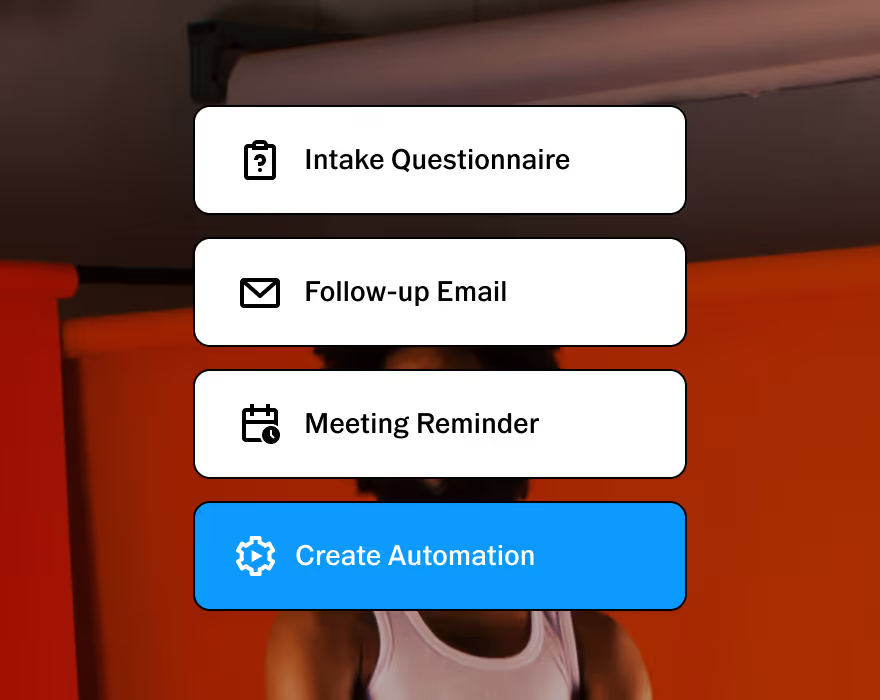
Customizable to help you run your business, your way. Made to adapt to your unique workflow.
Frequently asked questions
What should a photography invoice include?
Your business and client details, the services provided, itemized line items, the total due, payment terms, due date, and accepted payment methods. Workspace saves these in a reusable invoice template, with deposits, installments, or a custom payment schedule built in for each job.
How do photographers create and send professional invoices?
Create a branded invoice, add your services and payment terms, and send clients a secure link to pay online. Workspace keeps the invoice connected to that client's quote, contract, and job, rather than living in a separate app.
When should photographers invoice, before the photoshoot, after, or both?
Most studios collect a retainer at booking, then invoice the remaining balance before the event or before gallery delivery. Workspace supports retainers, one-time invoices, installments, and monthly schedules, matched to whatever timing the job calls for.
Can I collect a retainer or deposit and invoice the remaining balance later?
Yes. Build the retainer or deposit and the remaining balance into your order's payment schedule. Workspace splits the invoices accordingly and shows the client what's paid and what's left.
Is a photography deposit or retainer refundable?
That depends on your contract wording, not the label. A retainer, framed as payment to hold your time, is more defensible as non-refundable than a deposit, which reads as an advance payment. Courts have sided with clients when the photographer canceled first, which is why the refund conditions belong in writing rather than in the term alone.
What payment methods can clients use on a VSCO Workspace invoice?
Credit card or ACH through Stripe or Square, from any device, using a secure link. Tips can be added online or recorded manually, and offline payments are supported if a client needs another option; standard Stripe or Square processing fees apply.
How do I handle overdue or unpaid invoices?
Set clear due dates, and let Workspace send automatic reminders before and after each one is due instead of chasing clients yourself. If a payment still lapses, you can see exactly what's outstanding without digging through email.
Can an invoice go out automatically once the contract is signed?
Yes. When a client books through a quote, Workspace takes them to their first invoice right after signing, in the same window. Quotes convert directly into ready-to-pay invoices, so booking and payment happen in one flow.
Can I offer payment plans or installments on photography invoices?
Yes. Offer one-time payments, installments, a monthly schedule, or a custom timeline. Splitting a larger wedding or commercial job into payments makes the package easier for a client to say yes to.
Can photography invoicing software track payments and outstanding balances?
Yes. Workspace's dashboard shows paid and outstanding invoices, tracks remaining balances, and lets you update amounts or due dates when needed, all connected to the client and job instead of a separate spreadsheet.
Do photographers need to charge sales tax on invoices?
It depends on your state and what you're delivering. Many states tax tangible products like prints and albums but not a purely digital session fee, while others tax the entire package regardless of delivery format. Check with your state's department of revenue or an accountant rather than assuming another photographer's policy applies to you.
START WITH VSCO WORKSPACE