
PLANS FOR EVERY PHOTOGRAPHER
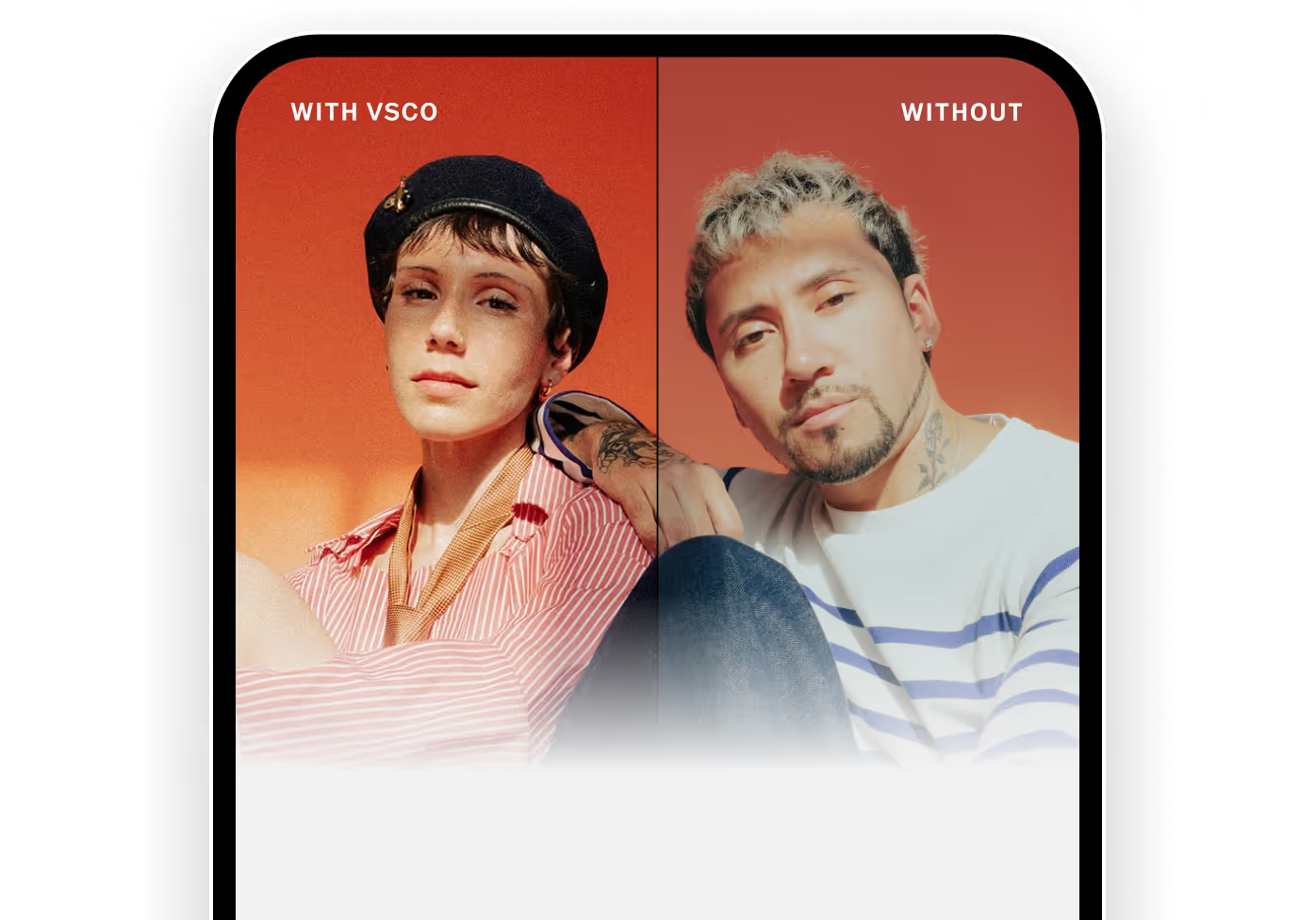

Like a good denim jacket, VSCO's got a coolness factor that can’t be measured. It isn’t just a set of perfectly made film-emulation presets and editing tools. It’s also a community of more than 30 million creators sharing and discovering their work—photography so striking it’ll make you wanna march outside and snap some of your own.

Based on 274k ratings


"The knowledge and resources that Paul has shared are unmatched.
I joined to learn the business side of freelancing, and the program delivered. But the community has been the real highlight. Having peers who understand the same challenges has made all the difference.
Brainstorming pitches, celebrating wins, and sharing trends has become my favorite part.”



What photographers are saying about VSCO
ON BECOMING PRO
“I would not be where I'm at in my career right now if it were not for VSCO. Period.”

ON AI LAB
“AI Lab saves time, keeps the image honest, and helps me stay in flow. It gives you more room to create the work you’ve always seen in your head.”

ON VSCO WORKSPACE
“Workspace manages my calendar, payments, taxes, leads, email responses, and more. I just wake up, and I have shoots booked and paid for.”

What photographers are saying about TFP
ON BUILDING CONFIDENCE
“The difference in my business is night and day—I feel empowered now. The energy and work just keeps flowing!”

ON BOOKING CLIENTS
“Within six months of the program, I experienced a notable surge in paid creative opportunities.”

ON BUSINESS DEVELOPMENT
“Through the program I gained a lot of knowledge on the business side of freelancing. This has been huge for my financially stability.”

COMPARE PLAN FEATURES
FEATURE
STARTER
PLUS
PRO
ONE
PRESETS
Standard presets
15
200+
200+
200+
Film X presets
Pro presets
Pro preset control
VSCO Film Packs (Lightroom & Capture One)*
Photo Editing
Standard mobile photo editor
Web Studio
Adobe Lightroom integration with Web Studio
Adjust / Crop
Exposure
Contrast
Saturation
White Balance
Skin Tone
Fade
Tone
Vignette
For This Photo (AI suggestions)
Grain
Sharpen
Clarity
Split Tone
Text overlay
Borders
HSL (Hue / Saturation / Luminance)
Dodge & Burn
Blur
Film FX
Histogram
Bloom
Halation
Recipes (save & apply looks)
1
Unlimited
Unlimited
Unlimited
Collage Maker
Video Editing
Video editing, filters & effects
Color grading
Speed / Slo-mo
Reverse
Trim
Text overlay
Volume control
Adjust / Crop
Exposure
Contrast
Sharpen
White Balance
Skin Tone
Saturation
Tone
HSL (Hue / Saturation / Luminance)
Vignette
Fade
Split Tone
Video Recipes
Film & Video FX
Montage Maker
VSCO Studio Pro
Batch editing
Preview only
Preview only
Style Match (via reference image)
Preview only
Preview only
Expanded export options
VSCO Galleries integration
Batch posting to VSCO profile
AI Editing
AI Remove
AI Prompt
AI Upscale
AI Simplify
AI Restore
AI Denoise
AI Dehaze
AI Isolate
AI Hairstyle
AI generation credits
Unlimited
Unlimited
VSCO Capture
Live presets
50+
50+
50+
50+
Live effects (Bloom, Halation, Grain)
Manual controls (Exposure, Shutter Speed, ISO, White Balance)
RAW, ProRAW capture
Video capture (HEVC, H.264, 720p, 1080p, 24 FPS, 30 FPS)
VSCO Canvas
Create moodboards
Share moodboards with anyone
Commenting
Projects
1 project
1 project
50 projects
50 projects
Expert templates
Monthly AI generation credits
100 credits
250 credits
500 credits
500 credits
VSCO Galleries
Create & share galleries
Collaborative galleries
Storage
10 GB
10 GB
Unlimited + 65 GB video
Unlimited + 65 GB video
Video upload
Full gallery download
Password protected galleries
VSCO Workspace integration
Connect galleries to your VSCO Site
Disable downloads
VSCO Sites
Photography website
Basic
Basic
Professional
Professional
VSCO Workspace integrated contact form
Custom domain
Profile + Community
Public profile to post work
Profile templates
Experience tags
Social links
Pinned images
Location display
Membership badges
Viewer access controls
Availability tags
Create albums
Profile Insights (reach & analytics)
Community search (people, images, blogs)
VSCO Spaces
Photography Blogs
Ad-free experience
VSCO Hub - professional job listing
Brand Challenges (paid opportunities)
Exclusive curation opportunities
VSCO Workspace
Contact forms
1
1
1
Unlimited
Invoices
Contracts
Quotes
Price lists & product templates
Bookable event type templates
Questionnaires
Lead reporting
Task management
Automations & custom workflows
Client portal
Client text messaging
Online payments (Square, Stripe)
Sales tax handling
Email integrations (Gmail, Outlook, Outlook SMTP)
Calendar integrations (Apple Calendar, Google Calendar, Outlook)
Gallery integrations (VSCO Galleries, ShootProof, PicTime)
Users
1
1
1
6
(add more via support)
Brands
1
1
1
4
Easy AI-powered onboarding
Professional Tools
VSCO Learn educational resources
Business Education VOD via The Freelance Photographer
Cloud sync across devices
24/7 AI Support
Premium Support
* Any download of VSCO Film Presets terminates your 30-day cancellation period.
Pricing FAQ
Is VSCO worth it for photographers?
Yes, at every level. VSCO gives you film-quality presets, a professional editing suite, AI tools, and a community of 30 million photographers—all in one place, at a fraction of what individual tools would cost.
The free Starter plan is a real starting point, not a stripped-down trial. Plus is built for photographers who want a consistent, signature look across everything they shoot. Pro combines AI editing, moodboarding, more gallery storage, and a website to publish your portfolio. And One brings your entire business into the same, unified system.
Whatever stage you're at, VSCO grows with you.
What is included in each VSCO plan?
Starter let’s you explore the editor, build your profile, and find your place in the VSCO community.
Plus is for photographers ready to develop a signature look. Unlock 200+ presets, advanced editing, and video tools—all ad-free.
Pro is for photographers ready to turn their craft into a career. Get the latest tools and presets, batch editing, unlimited AI editing, and more space to deliver client galleries.
One is for photographers running a business. Everything in Pro, plus full access to Workspace—the studio management platform that handles your clients, contracts, invoicing, and bookings.
What is the difference between VSCO Pro and VSCO One?
Pro combines creative tools, your portfolio, and client delivery. You get studio-grade editing, AI tools, professional galleries, moodboarding, and a client-ready website to publish your portfolio.
One adds a full business layer on top. Full access to Workspace means your leads, quotes, contracts, invoicing, bookings, and client automations are all handled. If you're billing clients and need your business to run while you're out working, One is for you.
What is VSCO Workspace?
Workspace is a studio management and CRM platform built for photographers and creative professionals. It handles the business side of your work: lead tracking, client communication, quotes, contracts, invoicing, payment collection, booking, and automated workflows. Spend less time on admin and more time behind the lens. Full access to Workspace is included with VSCO One.
Free, Plus, and Pro members get access to a simplified version of Workspace for basic job tracking.
Does VSCO One offer a free trial?
VSCO One includes a 30-day cancellation window. If you cancel within 30 days of joining, you get a full refund. This gives you time to set up the system, explore the features, and confirm it works the way your business needs it to.
Our premium support team is here to help you get started with confidence , from setup questions to workflow advice. You won't be figuring it out alone.
Is VSCO available monthly or annually?
Both, but annual billing saves you money. Pro drops to $5.00/month (vs. $12.99 month-to-month). Plus and Pro are also available monthly if you'd prefer flexibility. You can upgrade at any time.
VSCO One is available on an annual plan only. Not sure it's right for you? Cancel within 30 days for a full refund.
What are AI credits and how do they work?
AI credits power image generation in VSCO Canvas. Credits reset every month. Starter members receive a one-time allocation of 100 credits. Plus members get 250 monthly. Pro and One members get 500 monthly with access to 50 Canvas projects. Unused credits don't roll over, so it's worth using Canvas regularly: for client pitches, concept development, or working out a visual direction before a job.
Can I upgrade or downgrade my plan anytime?
Upgrade anytime and you'll have immediate access to your new plan. Plus and Pro members save 10% when they upgrade to VSCO One. Downgrading takes effect at your next renewal date, so you keep what you have until then.
Pricing FAQ
How do I know if TFP Accelerator is a good fit for me?
You will thrive inside the Accelerator if you want structure, proven systems, and a clear roadmap for consistently landing paid brand work.
Whether you are just getting started or already shooting commercially, the program helps you level up your business with strategies used by working commercial photographers today.
Am I able to upgrade my membership later?
Yes. You can upgrade from monthly to annual at any time.
Are there refunds?
Because this program includes immediate digital access and, in the coaching tier, access to live events, refunds are not offered. We are confident that if you show up and take action, the program will give you everything you need to grow a profitable commercial photography business.