Every photographer knows the feeling. You finish a long photoshoot, you're tired, and waiting in your inbox are three unanswered inquiries, a client asking where their contract is, and a payment that's three days overdue. None of it is hard to handle. All of it takes time you don't have.
Client communication is one of the most time-consuming parts of running a photography business and one of the most consequential. A slow inquiry response loses the booking before you even had a chance. A missed payment reminder becomes an awkward conversation. No day-before confirmation leads to a no-show that costs you real money.
The good news: most of these moments can be automated without making clients feel like they're talking to a bot. The right system handles the routine so you can show up fully for the moments that actually require you.
This guide covers what to automate, what to keep personal, and how to build a client communication workflow that runs itself.
In this guide:
- Why client communication shapes your reputation as much as your photos
- Which channel to use and when
- What to automate across the full client journey
- How to keep automated messages feeling human
- Common mistakes that break client trust
- Building your workflow with VSCO Workspace
- FAQ: Photography client communication and automation
Before getting into systems, it helps to understand what's actually at stake.
A slow response to an inquiry isn't just annoying. Studies consistently show that lead conversion drops sharply the longer a response takes. A couple who sends three inquiries on a Sunday afternoon books the photographer who replies first. If that's not you, it doesn't matter how good your portfolio is.
No-shows are the more painful version of the same problem. A client who didn't get a reminder, couldn't find the location details, or simply forgot. That's a session slot you can't recover. Automated text reminders are the single most effective fix, and they take ten minutes to set up once.
Post-photoshoot silence is subtler but just as damaging. When weeks pass without an update on edits or gallery delivery, clients fill the silence with uncertainty. That uncertainty doesn't generate referrals.
A brief, proactive update, even just to say you're in the editing cave, keeps excitement high and trust intact. Or even better, automating an email earlier that establishes next steps with expected turnaround time.
None of these problems require more of your time. They require better systems.
Not every message belongs in the same place. Using the right channel for each moment in the client journey keeps communication clear and keeps clients from having to chase you across platforms.
SMS is for time-sensitive, action-oriented moments. Texts have a high open rate and get read fast, which makes them the right choice for day-before session confirmations, location details, and quick logistical updates. Keep them short and direct. Always get explicit opt-in before texting clients, and stick to reasonable hours. SMS is not the place for detailed information or sensitive documents.
Email is for anything that needs to last. Contracts, invoices, prep guides, mood boards, gallery delivery, anything a client might need to reference later belongs in email. Email also carries more weight as a communication format: you can include booking links, clear next steps, and full context. The easier you make it for a client to act, the more likely they are to.
Automation is for consistency. Not every touchpoint needs a bespoke message. The inquiry reply, the contract reminder, the payment nudge, the gallery delivery announcement — these happen the same way every time for good reason. Automating them means nothing falls through the cracks during a busy season, regardless of how many clients you're managing.
The skill is knowing which moments need you and which ones just need a good template.
A well-built photography communication workflow handles the predictable touchpoints automatically so you can focus your energy on the conversations that actually matter. Here's what that looks like across the full client lifecycle.
Inquiry stage
Your inquiry response sets the tone for the entire relationship. Ideally it goes out within minutes, not hours. An automated welcome email that acknowledges the inquiry, introduces your approach, links to relevant portfolio work, and explains the next step does exactly that.
If someone doesn't book after the initial response, a follow-up sequence a few days later keeps the door open. Not pushy, just present.
Pre-photoshoot stage
This is where automation earns its place. Before a session, clients need a signed contract, a completed payment or deposit, a preparation questionnaire or shot list, location and logistics details, and a day-before confirmation. Every one of these can trigger automatically based on where the client is in your workflow. A questionnaire goes out after the contract is signed, a logistics email goes out a week before the shoot, an SMS reminder goes out the morning before.
This isn't just convenient for you. Clients feel organized and cared for when they get the right information at the right time without having to ask for it.
Post-photoshoot stage
The gap between the photoshoot and gallery delivery is where photographers most often go quiet, and where client experience most often suffers.
A brief "currently editing" update a few days after the shoot keeps clients engaged and prevents the inbox ambush. A sneak peek image or two, if that's part of your brand, raises anticipation. A clear gallery delivery notification with the link and any delivery instructions completes the handoff professionally.
After delivery, an automated review request a week later, when clients are still in the glow of seeing their images, is your highest-leverage ask for a testimonial. An anniversary check-in a year later that reintroduces your services for future sessions or referrals is the kind of long-game touch that quietly builds a sustainable client base.
Automation gets a bad reputation because most automated messages sound like they were written by someone who has never met a human.
A few principles that keep automated messages feeling personal:
Write them once, write them well. Your automated inquiry response should sound like you at your most attentive, not like a form letter. Read it out loud. If you wouldn't say it in conversation, rewrite it.
Use merge fields for real personalization. Addressing someone by name and referencing their specific session type costs nothing and reads completely differently than a generic message. "Hi Sarah, so glad you reached out about your elopement" lands warmer than "Thank you for your inquiry."
Leave room for the human moments. Automation handles the predictable. A client who messages back with a change of plans, a question about what to wear, or just nervous energy before their shoot — that's you. Don't automate away the moments that build actual relationships.
Time messages thoughtfully. An automated text at 6 a.m. or a payment reminder the day before a shoot without prior context erodes trust fast. Build your automations with the same consideration you'd apply to a message you were sending personally.
Strong systems can still create friction if they're not maintained. A few things to watch for:
Conflicting information across channels. If your email says one thing and your text says another, clients lose confidence. Keep one source of truth for pricing, timelines, and deliverables, and make sure every template reflects it when something changes.
Automation fatigue. More touchpoints is not always better. If clients feel chased, they disengage. Tie reminders to meaningful milestones, not just calendar intervals. One well-timed message beats three generic ones.
Privacy oversights. Share sensitive information, including contracts, payment links, and personal details, through secure channels, not SMS. Know the basics of GDPR and CAN-SPAM as they apply to your business. Always get explicit consent before adding anyone to an automated marketing sequence.
Forgetting to pause. When a client is going through something difficult, or a conversation has turned personal, automation should step back. Know how to pause or override your sequences when the moment calls for it.
VSCO Workspace is a studio management platform built specifically for photographers. It brings together CRM, scheduling, invoicing, contracts, and client communication, including SMS in US and Canada, into one connected system.
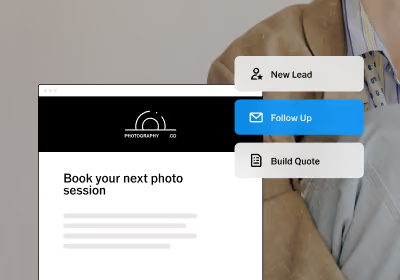
The automation engine is the core of it. Triggers can be set based on any event in your workflow: a new inquiry, a signed contract, a payment received, a shoot date approaching. Automations can send emails, texts, questionnaires, or create internal tasks based on conditions you define. If you photograph weddings and portrait sessions differently, automations can run based on job type. If a client hasn't signed their contract by a certain date, a follow-up goes out automatically. You define the logic once; Workspace runs it.
The SMS integration is powered by Quo, giving you a dedicated business number inside your workflow so texts don't come from your personal phone and every message stays in the client record. Text-based appointment confirmations, invoice nudges, and day-before reminders run alongside your email sequences without you switching between platforms.
This means the week before a busy wedding season, every client on your calendar already has their contract signed, their questionnaire completed, their final payment processed, and a confirmation text on the way, without you manually chasing any of it.
What's the most important message to automate first?
Your inquiry response. It's the highest-stakes communication in your workflow. Response speed directly affects conversion, and an automated reply that goes out within minutes, every time, regardless of what you're doing, is the single highest-return automation any photographer can set up. Include a link to your consultation scheduler to make the biggest impact even quicker.
How do I get clients to opt into SMS?
Include an opt-in field in your inquiry form or client questionnaire. Keep the ask clear and simple: "Would you like to receive text reminders and session updates?" Most clients who are engaged in the process will say yes.
Won't automating make my communication feel generic?
Only if your templates are generic. The automation handles the timing and delivery; the quality of the message is still entirely up to you. A well-written automated email feels more personal than a rushed manual one sent at midnight. In Workspace, you can also have it automatically draft an email that you can personalize before hitting send manually.
How do I reduce no-shows?
A day-before SMS confirmation is the most effective single step. Add it to every pre-photoshoot workflow. In Workspace, this triggers automatically based on the shoot date so you never have to remember to send it.
What should I never automate?
Any message that requires genuine judgment: a client who's going through something difficult, a complaint, a question that reveals real anxiety. These need you. Automation creates space for those moments by handling everything else.
How is VSCO Workspace different from a general email tool?
General email tools like Mailchimp are built for broadcast marketing. Workspace is built for client workflows: automations that trigger based on what a specific client has or hasn't done, tied to their contracts, invoices, shoot dates, and communication history. It's the difference between a newsletter tool and a system that actually runs your studio.
The goal isn't more communication. It's better communication.
The best photography studio workflows don't replace personal connection; they make more room for it. When the inquiry reply, the contract reminder, the logistics, and the post-delivery check-in all run automatically, you get your time back. You get to be present for the conversations that matter.
That's what a well-built client communication system actually does. Not more touchpoints. Better ones, at the right moment, every time.
Ready to see what it's like to have the administrative side of your business run itself? Try VSCO Workspace today.