
You hired the right second photographer. The wedding went well. Now you're back at your desk with two sets of files, two editing styles, and a couple waiting on the most important photos of their lives.
How you handle the next few days determines whether your second photographer made your life easier, or just added more to it.
This guide covers everything that happens before and after the big day. Learn how to set clear expectations ahead of the wedding, collect and organize files after it, keep your editing consistent across two photographers, and deliver a final gallery that feels like it came from one cohesive studio.
In this guide:
- How to set clear expectations with second photographers before the wedding day
- What your agreement should cover, from copyright to posting timelines
- Best practices for collecting, backing up, and organizing files
- How to keep editing styles consistent across two photographers
- How to deliver one clean, polished gallery that tells the full story
A smooth gallery handoff starts well before anyone picks up a camera. When file standards, ownership, and posting expectations are settled during pre-production, you and your second photographer can focus on the day itself rather than untangling logistics the week after.
Copyright starts with whoever presses the shutter, not with who's running the photoshoot. If your second photographer is working as your subcontractor under a services agreement, that agreement determines what happens to the images afterward, since copyright doesn't transfer automatically just because you hired them. If your second photographer is booking directly with the couple under their own contract, they own their images outright, and nothing in your client contract touches their work. Any rights you want to those images would need a separate agreement between the two of you.
The guidance below applies to the subcontractor relationship. Your services agreement should cover:
- Copyright and licensing: Independent contractors don't hand over copyright just because you hired them. That only happens with an explicit assignment clause in the agreement. Decide whether your second photographer assigns copyright to you or licenses the images for specific uses, like client delivery and studio marketing, then put whichever you choose in writing.
- Portfolio permissions: Define when and how a second photographer can share images publicly. Some studios allow immediate use of behind-the-scenes content but place a six-month embargo on hero images. Others require couple approval before anything goes public. Know what your policy is and write it down.
- Credit requirements: A standard approach is requiring captions like "Photographed for [Your Studio]" and embedding photographer credit in IPTC metadata, so attribution stays with the file wherever it goes.
- Restricted uses: Make clear that second photographers cannot resell images, license them as stock, submit them to contests, or share them with vendors without your written approval.
- Dispute resolution: Specify how disagreements will be handled, and reserve the right to register the full collection with the United States Copyright Office under your studio's name.
Edge cases matter too. If your subcontracted photographer works across state lines or internationally, clarify which copyright laws apply and whether the same rules extend to video if that's part of your coverage.
Legal terms matter, but etiquette does too. Always get the couple's consent before sharing images publicly, credit photographers per your contributor agreement, and avoid sharing sensitive moments without approval. Including these preferences in your client questionnaire helps document them alongside timelines and shot lists.

Technical misalignment after a wedding creates real friction. Settle these details in advance so the handoff happens cleanly.
Agree on:
- Transfer method: Whether you collect memory cards on-site or receive a cloud upload
- Delivery timeline: Many studios require RAW files within 24 hours of the wedding
- File format and camera settings: RAW capture and consistent color profiles across both rigs
- Backup responsibilities: Who creates the first duplicate copy of the cards
- Communication: One shared channel for updates, not a scatter of texts and emails
It also helps to sync camera clocks before the wedding day. When timestamps match, your culling and sequencing workflow becomes significantly faster.
Choose a Gallery Platform That Supports Collaboration
A gallery platform should do more than store files. The right one makes it easier to gather images from multiple contributors, keep client access controlled, and deliver a final product that reflects the quality of your work.
During a busy wedding season, your gallery platform is the backbone of your post-production workflow.
Look for:
- Contributor uploads so second photographers can send files directly into the gallery, without requiring account creation or additional logins
- Review controls that let you remove images before the couple sees them
- Password protection to keep the gallery private until you're ready to share
- Unlimited photo storage so you're not trimming galleries or deleting work to make room during peak season
- A clean, photo-first presentation across desktop and mobile
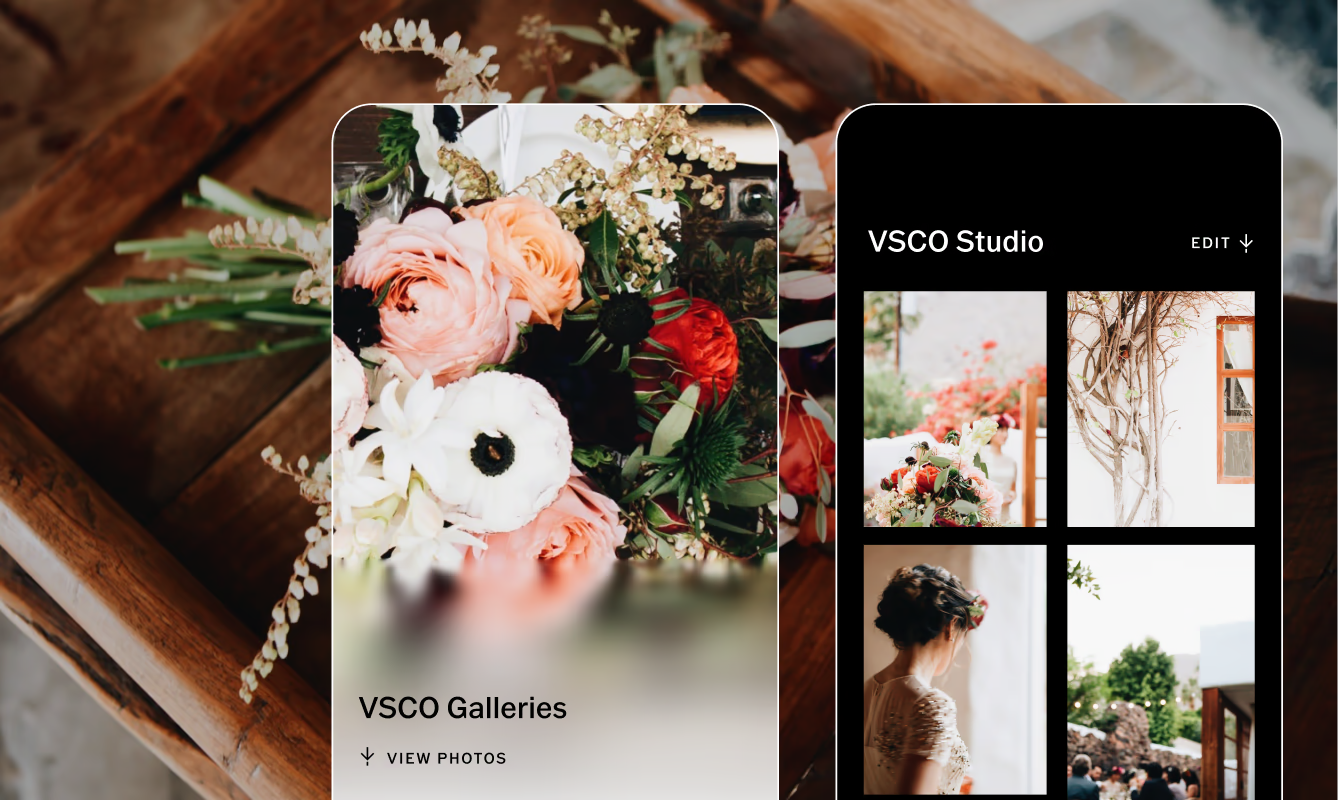
VSCO Galleries is built with this workflow in mind. Second photographers and collaborators can upload directly to your gallery via QR code from any desktop or mobile browser, no app download or account required. Password protection keeps everything private while you review and finalize. And unlimited photo storage means you can run a full season of weddings without hitting a cap or paying overage fees.
The result is a gallery your couple opens and immediately feels the care behind.
Build a Repeatable Post-Wedding Workflow
Consistency is what separates a smooth production week from a chaotic one. A clear routine means every wedding moves from capture to delivery on schedule, regardless of how many contributors were involved.
Move Files From Capture To Backup
Fast backups protect your work before anything else. Most wedding photographers follow a high-redundancy approach:
- Dual-slot capture: Both card slots recording simultaneously throughout the day
- On-site backups: Copy cards to a laptop and SSD during breaks
- Immediate dual copies: At the end of the night, duplicate files onto two separate drives before leaving the venue
- Cloud upload within 24 hours: Sync the gallery or a backup vault as soon as you're home
Back in the studio, many photographers copy files to a RAID system and store an additional backup off-site. It's worth the extra step. Lost drives and corrupted cards happen. They just shouldn't cost you a wedding.
Cull, Curate, and Prepare the Gallery
Once files are secure, move into editing and curation:
- Culling: Pull the technical misses, duplicates, and off-brand frames. Only the strongest images move forward.
- Editing: Apply global adjustments first, then refine hero images for consistent color and tone.
- Exporting: Full-resolution JPEGs and web-sized sets, with a consistent naming system.
- Uploading: Add finalized files to the gallery while keeping RAWs archived separately.
- Curating: Sequence images for narrative flow. The order matters as much as the selection.
- Archiving: Store RAWs and final edits across redundant drives and cloud storage for long-term protection.
A shared preset or editing recipe is one of the most effective ways to keep all images in line with your studio's look. More on that below.
This is where most workflows break down. Two different photographers, two different cameras, two different processing styles, and one couple expecting a cohesive gallery.
The fix is a managed workflow.
Ask for RAW files, always. Most lead photographers prefer unedited RAW files from their second photographers so they can apply one editing style across the full set. A second photographer who delivers pre-edited JPEGs is creating more work, not less. Make this expectation clear in your agreement.
Use presets and editing recipes. Aligning on a set of presets or editing looks can help your second photographer understand your studio’s style. Even if they won't be editing the final delivery, capturing with predetermined looks in mind can speed up your post-production.
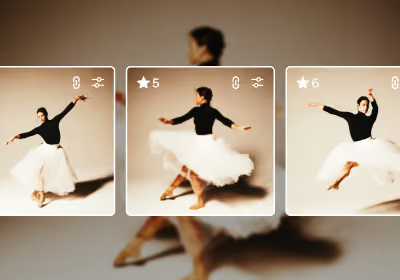
Batch edit second photographer images separately, then merge. Running a first pass as a separate batch before integrating them into the full gallery keeps your workflow clean. Apply your global adjustments, match tone and exposure to your hero images, then sequence everything together.
Protect Client Privacy and Control Gallery Access
Wedding galleries contain deeply personal moments. Respecting that trust means being intentional about who sees what, and when.
Start with strong, unique passwords for every gallery. Only share access with the couple and any vendors they've approved. Enable contributor review so second-photographer uploads can be filtered before the couple sees them.
Discuss posting preferences with the couple before the wedding. Every couple has different expectations, and they vary more than photographers often assume. Some couples want everything public immediately. Others want nothing shared until they've had time to look through the gallery themselves.
A few specific situations to cover:
- Minors: Get permission from parents or guardians before using images of children in any marketing
- Cultural or religious moments: Some ceremonies or rituals may not be appropriate for public sharing. Offer a family-only section in the gallery for anything sensitive.
- Venue restrictions: Certain historic or licensed venues restrict commercial use of interior photography. Note these in your contracts so your second photographer knows too.
Setting a strong default policy protects you, your second photographer, and your clients.
Combining lead and second-photographer coverage gives couples something genuinely more complete: the formal shots and the candid ones, the ceremony from the front and the back, the bride getting ready while the groom laughs with his groomsmen in a different room.
Done well, two photographers feel like one cohesive vision. Done poorly, they feel like a mismatch.
The delivery experience is where that distinction lives. A gallery with thoughtful sequencing, matched color, and clean presentation signals that someone with real editorial judgment put this together. That impression is what drives referrals, and what justifies treating your work as a premium offering.
VSCO Galleries supports that delivery with custom cover images, contributor uploads via QR, unlimited photo storage, and a viewing experience that feels like a real keepsake.
FAQs: Second Photographer Gallery Workflow
Should a second photographer edit their own photos before sending them?
Generally, no. Ask for unedited RAW files so you can apply your editing style across the full gallery. A second photographer who delivers pre-processed files creates color inconsistencies that take time to correct. Set this expectation before the wedding.
How do I keep editing styles consistent between two photographers?
One editing workflow. Run all images through the same presets or editing tool stack, with the lead photographer handling final edits. Match tone and exposure to your hero images, then sequence everything together.
What's the best way to communicate shot priorities to a second photographer?
Review the full timeline and shot list together before the wedding, not on the day. Assign specific moments and positions like groom's getting ready, alternate ceremony angles, guest reaction shots during the first dance, so both photographers are capturing complementary coverage, not duplicating the same frames.
How many photos should a second photographer deliver?
It depends on the event length and the coverage split, but several hundred RAW images is typical for a full wedding day. Quality over volume. The goal is meaningful alternate angles and moments the lead photographer couldn't be in two places to catch, not a duplicate of every frame.
Can I let my second photographer post images before the gallery is delivered?
That decision belongs in your contract, not improvised on the fly. Most studios require couple approval before any images go public. A clear posting timeline in your second photographer agreement prevents surprises and protects the client experience you've worked to build.
Is VSCO Galleries free to use?
The core functionality is free, including contributor uploads and up to 10GB of storage. VSCO Pro or One plans unlock unlimited photo storage, unlimited active galleries, and password protection. Plus you get access to Pro presets, AI Lab, VSCO Sites, and more.
When Collaboration Is Done Well, It Shows
The couple doesn't see your file naming system or your backup drives. They see a finished gallery they’ll want to return to again and again. When a second photographer workflow goes right, they see a complete, beautifully sequenced record of their day, without any sign of the coordination it took to produce it.
That's the goal. Clear agreements before the wedding, a clean file handoff after it, consistent editing through delivery, and a final gallery that feels intentional from the first image to the last.
VSCO Galleries supports that workflow with unlimited storage, QR-based contributor uploads, password-protected access, and a presentation built to put your work first. Whether you're delivering a tight 400-image gallery or a full collaborative archive from a weekend-long celebration, the experience your clients receive should feel the same: considered, professional, and worth every dollar they spent.
Get started with VSCO Galleries to streamline your next wedding delivery with a second photographer.