
Every guest at a wedding is walking around with a camera.
The college friend who caught the groom crying before anyone else noticed. The bridesmaid who grabbed a video of the entire bridal party dissolving into laughter between portraits. The mother photographing the couple during the first dance from the perfect angle across the room. None of those moments are on your shot list. And for most couples, they'll spend weeks after the wedding trying to track them down one text thread at a time.
A shared wedding gallery changes that. One link, one upload point, every perspective from everyone who was there. Everything gets organized alongside your professional images and is ready to be revisited from day one.
For photographers, it's more than a convenience feature for couples. It's a way to offer something no single camera can deliver. The whole day, covered from every angle.
In this guide:
- Why guest photos make your professional work stronger, not redundant
- What actually gets in the way of guests contributing their photos
- What to look for in a platform that makes participation effortless
- How to set up your gallery before the wedding so it's ready when the day starts
- How to manage uploads in real time without disrupting your workflow
- How to turn guest contributions into a complete, curated archive
You're covering the altar. Someone else just caught the groom's dad wiping his eyes in the third row.
That's the nature of wedding photography. You can only be in one place at once. Your position is deliberate, your coverage is professional, and your eye is trained. But a wedding isn't happening in one place. It's happening in every corner of the room, at every table, in the hallway outside the ceremony, in the car on the way to the venue.
Guests are already capturing all of it. Table selfies mid-toast. A quiet exchange between the couple during dinner. The flower girl asleep in her dad's arms during cocktail hour.
These are the moments couples spend weeks trying to track down after the wedding. Not because they're better than your portraits or your ceremony coverage. Because they're different. They show the day from the inside, from people who were living it rather than documenting it.
When those images live alongside your professional work in one gallery, the result is something neither alone could be. Every angle. Every room. Every person who was there.
For photographers, that's not just a nice thing to offer. It's a real differentiator, and one couples understand immediately.
It's not that guests don't want to share. Most of them do. They took the photos, they know the couple wanted them, and they fully intended to send them over.
But then the wedding ended, the weekend happened, and life got in the way.
Photos that seemed urgent on Saturday are buried in a camera roll by Tuesday. The group chat thread got too long to find. Someone meant to AirDrop but never got around to it. The cousin who took the best shots of the reception was on a flight home before anyone thought to ask. Two weeks later the couple sends a follow-up text to fifteen different people and gets three responses.
The problem isn't motivation. It's friction. Every extra step between a guest and sharing their photos—downloading an app, creating an account, finding the right folder, responding to a follow-up message — cuts participation significantly. Most guests will complete one step without thinking. Ask them to complete three and most won't.
When guests can upload directly from their phone's browser by scanning a QR code—no app, no account, no login—that friction disappears. Participation stops being something that requires follow-up and starts being something that happens naturally, on the day, while the memory is still fresh and the room is still full.

Not all photo-sharing tools are built for weddings. Most were designed for file storage, not storytelling. When you're evaluating platforms, these are the things that actually matter for a wedding context:
Frictionless guest uploads. Guests range from tech-savvy to deeply not. The platform needs to work for both without explanation. QR code to browser to upload—that's the entire flow. No app download, no account creation, no confusion.
Real-time visibility. Couples and guests should be able to see uploads as they come in. That live, accumulating feed is part of what makes the gallery feel alive on the day itself, not just a delivery that arrives later.
Photographer control. You need to be able to remove uploads that don't belong—accidental shots, duplicates, anything off-brand—without that process being complicated or requiring a formal review gate before guests can see their own contributions.
Password protection. For a collaborative gallery that's also your professional delivery, access control matters. The couple shouldn't be sharing the link publicly before you've had a chance to finalize the gallery.
Clean, photo-first presentation. The gallery is your delivery. It should look like it. Not a cloud folder, not a grid of thumbnails on a white background with interface chrome everywhere. A distraction-free layout that puts the images first and works beautifully on any device.
VSCO Galleries is built around all of these. Guests upload directly from desktop or mobile browser via QR code. No app or account required. Uploads appear in real time. Photographers can remove anything that doesn't belong. Password protection ensures private delivery. And the presentation is clean, minimal, and photo-first by design.
The galleries that get the most participation aren't set up the morning of the wedding. They're created in advance, tested, and ready to go before the first guest arrives.
Step 1: Create the gallery and add anchor images.
Start with a few images that establish context. Add engagement photos, venue details, or a portrait from the couple's preview session. A gallery that already has images in it feels like something worth contributing to.
Step 2: Generate and test the QR code.
Once collaborative uploads are enabled, you'll have a QR code guests can scan to contribute directly. Test it on at least two different phone models before the wedding. Make sure it opens instantly, navigates to the upload page cleanly, and works without any extra steps.
Step 3: Coordinate placement with the wedding planner.
This is the step most photographers skip, and it's where participation rates either go up or stay flat. Work with the planner to have QR codes printed and placed throughout the venue. On table cards, at the bar, near the guest book, on the welcome signage. When the codes are designed to match the wedding's styling, they blend into the decor instead of looking like an afterthought, and guests are far more likely to actually use them.
Step 4: Brief the couple to mention it.
Ask them to have the DJ make a quick announcement during reception, or include a line in the program. Something simple: "Scan the code at your table to add your photos to our shared gallery." The couple's endorsement makes everything feel more personal.
Step 5: Share the QR code in your final client communication.
Send it in your pre-wedding email alongside the timeline and day-of details. Some guests might even start uploading before they arrive.
Once the event starts, the goal is momentum, not management.
The gallery works on its own. Guests scan, upload, move on. Your job isn't to monitor it in real time. It's to make sure the conditions for participation are in place before you're focused on shooting.
After the event, go through the uploads once before sharing the final gallery more broadly. VSCO Galleries lets you remove anything that doesn't fit, like an accidental shot of the floor, a blurry duplicate, or something that slipped in that shouldn't be there. It doesn't have to be a formal curation process. A single light pass is enough to make sure the archive feels intentional, even when it came from fifty different phones.
The strongest version of a collaborative gallery isn't a bunch of guest uploads tacked on to your final delivery. It's two distinct collections living in one place, your edited work and guests contributions, each with its own dedicated space, accessible through one link.
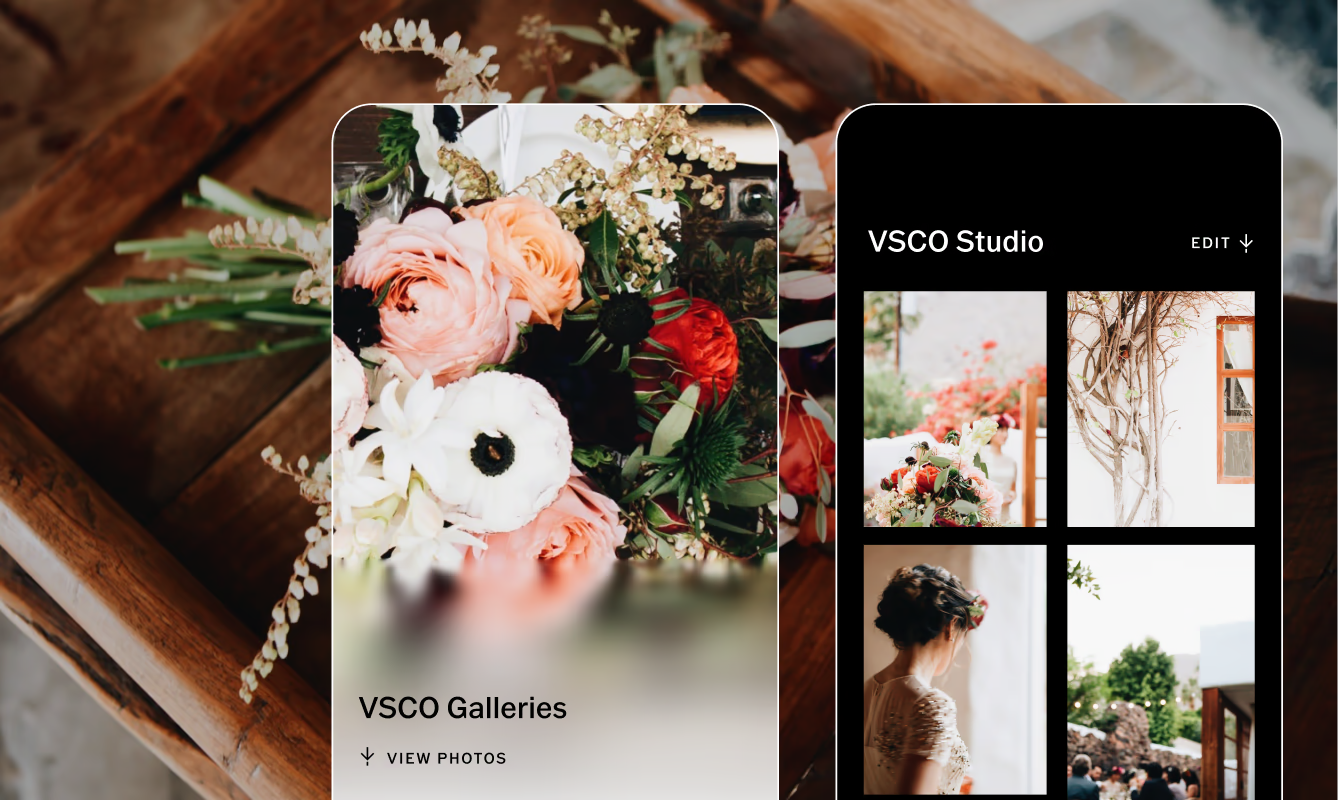
In VSCO Galleries, guest uploads appear in their own tab, separate from your professional images. Your edited work stays exactly as you delivered it. The guest tab becomes its own archive, the unfiltered, unposed, inside view of the day that no single photographer could have captured alone.
Because VSCO Galleries doesn't limit your active galleries, couples can come back long after the wedding day. On their anniversary. When a family member asks to see photos. When they want to remember not just what happened, but what it felt like to be in that room.
For you as the photographer, that's a gallery worth having your name on.
FAQ
Do guests need to download an app to upload photos to a shared wedding gallery?
No. With VSCO Galleries, guests upload directly from their phone or desktop browser by scanning a QR code. No app download, no account creation. They scan, they upload, they're back at the party.
What if guests upload blurry or duplicate photos?
You can remove any upload at any time. VSCO Galleries gives photographers full control to delete anything that doesn't belong, before or after the final gallery is delivered to the couple. A quick pass after the event is all it takes to keep the archive clean.
Can guests keep uploading after the wedding?
Yes. The gallery stays open for contributions after the event, which is useful for guests who didn't upload on the day or who took photos they found later in their camera roll.
Can a collaborative gallery be delivered alongside my professional photos?
VSCO Galleries holds both in one place, your edited professional images and guest uploads together, in a single gallery your couple accesses through one link. It's not a separate tool. It's part of the same delivery.
Can I control who sees the gallery?
Yes. Galleries are accessible by link only, and VSCO Pro or One plans add optional password protection so you control exactly who has access before you're ready to share more broadly.
How do I package this as a paid add-on?
Introduce it during the proposal stage, not as a feature but as an outcome: "Your guests will have one place to share every photo from the day, alongside your professional gallery." Wedding photographers commonly charge $300 or more for collaborative guest uploads as a premium add-on.
Every Moment, One Place
The photos guests take at a wedding aren't competition for your professional work. They're the rest of the story. A shared wedding gallery gives couples a complete archive of their day. They get the professional images alongside the candid, unplanned moments their loved ones captured. No chasing texts. No group chat chaos. No moments lost to a phone that never got backed up.
For photographers, it's one of the most tangible things you can add to a package.
VSCO Galleries is free to get started, with collaborative guest uploads included. VSCO One or Pro membership adds unlimited photo storage, unlimited active galleries, and password protection for private delivery. Get everything you need to run a full wedding season without storage anxiety or overage fees.