The session is over. The kids were (mostly) cooperative. Now comes the part that determines whether this family books you again next year, tells their friends about you, or quietly moves on.
Gallery delivery is the final impression of working with you. For family photographers, it carries unusual weight. You're not handing files to a brand manager or a couple in wedding-planning mode. You're delivering something a grandmother is going to print and frame. Something parents will share with siblings three states away. Something kids will eventually find in a box and recognize as the version of themselves they can't remember.
How that experience feels—how easy it is to access, how the images are presented, how the gallery holds up when mom forwards the link to everyone in the family group chat—shapes whether your work gets talked about or just downloaded.
This guide covers everything:
- Setting the right expectations before you deliver
- Structuring and curating the gallery itself
- Writing a delivery message that removes friction
- Protecting privacy
- Turning a polished delivery into the start of an ongoing relationship.
The most common friction in family gallery delivery, anxious emails asking where the photos are, confusion about how to download, one family member who can't get the link to work, is almost entirely preventable. Not through better tech, but through clearer communication earlier in the process.
Define the timeline at booking. Families want to know two things: when they'll get a sneak peek, and when the full gallery arrives. A sneak peek of 5–10 images within 48 hours has become standard in the family photography market. It gives parents something to share while the excitement is still high, and it reduces the "are the photos ready yet?" follow-ups dramatically. Full gallery delivery in 7–14 days is a typical and defensible window. Whatever your timeline, state it clearly when you book, repeat it in any pre-session communication, and deliver on it.
Explain how the gallery works before it arrives. Don't make the delivery email the first place families learn about accessing and downloading their images. Send a brief note in your pre-session or post-session communication, something like: "Your gallery will arrive via a private link. You'll be able to view it on any phone or computer and download high-resolution images directly." One sentence of context now prevents several emails later.
Anticipate the extended family situation. Family sessions almost always involve more than the couple you booked with. Grandparents, siblings, out-of-town relatives all want to see the photos too. Make it easy: let clients know they can share the gallery link freely, and make sure the gallery itself works without login requirements, app downloads, or accounts. The simpler the access, the wider the reach, and the more people who see your name attached to work they love.
Referrals don't disappear because the photos weren't good. They disappear because the experience didn't feel complete. Over-delivering on image count is one of the most common ways to undermine a gallery that would otherwise be excellent.
Curate to your strongest work. Most family sessions yield 50–100 final images. Portrait sessions are on the lower end; extended family or multi-generational sessions can run higher. The useful question isn't "how many should I include?" It's "does every image here earn its place?" Remove near-duplicates, remove technical misfires, remove anything that doesn't contribute something distinct. A gallery of 60 images where every frame lands is better than 120 with filler.
Organize by relationship, not chronology. Families navigate galleries looking for specific people and moments. Structure accordingly:
- Whole family portraits
- Parents and couple shots
- Individual children
- Sibling moments
- Extended family groupings
- Candid, in-between scenes
Within each section, arrange images in a natural sequence rather than uploading every similar frame. This prevents the gallery from feeling like a contact sheet and gives it narrative momentum, even for someone scrolling on a phone.
Lead with your strongest image. The cover photo and the first images in the gallery set the client's emotional register before they've seen anything else. Don't lead with the technically safe shot. Lead with the one that makes them feel something.

The gallery delivery email is underestimated. It's the moment clients transition from anticipation to experience, and a clumsy email can blunt a strong gallery. A clear, warm message removes friction and reinforces that the whole process, start to finish, was professional.
Include everything they need in one place:
- The gallery link and password, if applicable
- How to download: one clear sentence works. "Click any image to download it individually, or use the download button at the top right for the full gallery."
- How long the gallery will be accessible
- Who they can share the link with
Keep the tone personal, not templated. Reference something real from the session: a kid who made everyone laugh, a moment that came together unexpectedly. It takes 30 seconds and turns a functional email into one they might actually read aloud to their partner.
Plant the next seed. Gallery delivery is the highest-engagement moment in the client relationship. Use it. A single light-touch line, something like "I'd love to document your family again next year, especially as the kids change so much," is enough to keep the rebooking window open without feeling like a sales pitch. You're not asking for anything. You're signaling that you see this as a relationship, not a transaction.
A short follow-up a few days later, asking if they were able to download everything and if they have a favorite, takes two minutes and generates more referrals than any marketing campaign.
Choose a Gallery Platform That Serves the Whole Family
Family photography has a delivery challenge that other niches don't: the audience for the gallery is never just the person who booked. It's parents, grandparents, siblings, cousins. People with varying levels of comfort with technology and no patience for a download process that requires creating an account.
The gallery link itself is becoming the deliverable, not just a download portal. Clients increasingly prefer a persistent link they can revisit and share with family over downloading hundreds of files. Your platform should support that expectation.
When evaluating gallery platforms for family work, prioritize:
Zero-friction access. No account creation, no app download, no login. The link opens. The images appear. That's it. Every extra step is a barrier that some family member won't clear.
Support every device. Most family members will open the gallery on a phone. Thumbnails should be clear, full-size images should load quickly, and downloading should be obvious and easy on a small screen.
Private by default. Family sessions often include children and personal moments that shouldn't be publicly accessible. The gallery should be private unless you choose otherwise.
Password protection when you need it. For sessions that need it, optional password protection adds a layer of control without complicating access for people you share the password with.
Storage that doesn't force tradeoffs. Running out of storage mid-busy season means choosing between deleting past clients' galleries or pausing delivery for new ones. That's not a choice you should have to make. Unlimited storage removes the problem entirely.
Presentation that respects the work. A plain cloud folder or file-transfer link communicates utility. A clean, distraction-free gallery communicates that the work is worth presenting. The same images look different depending on how they're framed.
Family photography regularly involves children, personal homes, intimate milestones, and situations that require discretion. Privacy isn't a checkbox. It's part of what families are trusting you with when they book.
Before delivery, clarify with clients:
- Who can view and download images
- Whether they're comfortable with the link being shared broadly or want it kept to immediate family
- Any specific concerns
State your usage rights clearly in your contract, not in the gallery delivery email. Most family clients receive personal-use rights while you retain copyright. When this is established before the photoshoot, delivery is cleaner. There's no confusion about what the images can be used for.
Back up before you deliver, not after. The 3-2-1 rule applies: three copies of every final gallery, on two types of storage, with one copy offsite. Working drive, external backup, cloud storage. Back up the delivered files the same day you send the gallery, before you move on to the next edit.
When gallery delivery is thoughtful, the experience lingers. Clients talk about how easy it felt, how supported they were, how guided the process was. That's where referrals come from. The delivery moment is the peak of the client relationship. It's when clients have the highest emotional investment in your work. Use it to establish continuity, not closure.
Suggest the natural next session. Children change fast. Families expand. The window for the current photos to feel current is short. A simple mention, "most families come back annually, and I'd love to see how everyone has grown," plants the seed without pressure. Follow it up with a check-in around the 9–10 month mark, when annual rebooking decisions are happening.
Make it easy to share. When clients share their gallery link with extended family and friends, every person who clicks it and sees strong, beautifully presented work is a potential future client. Your name is on that work. Make sure the gallery reflects the same care the session did.
Ask for a review at the right moment. A few days after delivery, when families are still in the excitement of sharing their photos, is the natural moment to ask for a written review or testimonial. Keep it personal and brief. Reference the session specifically. Make it easier for them to say yes than to say nothing.
Deliver Family Photos With VSCO Galleries
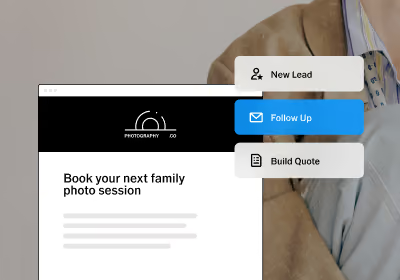
VSCO Galleries gives family photographers a clean, private, distraction-free way to present their work. Upload your curated images, set a cover photo, and share a private link clients can open on any device. No account required, no app to download.
For extended family situations, collaborative guest uploads can even let grandparents, aunts, uncles, and friends contribute their own images via QR code. Everything comes together in one shared gallery that clients can revisit long after delivery.
VSCO Galleries is free to start. VSCO Pro and VSCO One unlock unlimited photo storage and password protection, plus 200+ professional presets, AI editing tools, VSCO Sites for your portfolio, and more.
FAQ
How many images should I include in a family gallery?
Most sessions deliver 50–100 final images. The right number is the one where every image earns its place. Curate to your strongest work, remove near-duplicates, and trust that a focused gallery makes a stronger impression than a comprehensive one. Clients rarely complain about receiving fewer great photos. They often feel quietly overwhelmed by more than they need.
When should I send the full gallery versus a sneak peek?
Send 5–10 of your best images within 48 hours of the session. This gives families something to share while the excitement is fresh and reduces the wait-anxiety that leads to check-in emails. Deliver the full gallery within 7–14 days. Whatever your timeline, set it at booking, not in the delivery email.
My client wants to share the gallery with extended family. What should I tell them?
Tell them the link is shareable and encourage it. Every person who sees your work through a family's gallery is a potential future client. Make sure your platform doesn't require login or account creation to view. Extra friction stops grandparents from opening it and extended family from sharing it.
How do I handle clients who ask for additional edits after delivery?
Outline what's included in your session upfront, typically color correction and retouching to your standard. For additional requests after delivery, including specific retouching, swapping expressions, or removing objects, have a clear and fair price for each. State these boundaries before the photoshoot, not after the complaint arrives.
What file format should I use for client downloads?
JPEG at full resolution is the standard. Export at 300 PPI with a long edge around 4,000–5,000 pixels for print-ready files. 72 PPI and lower-resolution with a watermark if you want to restrict client printing. Stick to your contract and make it clear before delivery. Include a note in your delivery email confirming if the files are print-ready or not.
How do I protect photos of children in the gallery?
Private links, not publicly indexed, not searchable, are the baseline for any family session. Add optional password protection for situations where tighter access control matters. Never share session images on your social media or portfolio without explicit written consent from the parents. When in doubt, ask.
How do I use gallery delivery to generate repeat bookings?
The delivery message is your highest-engagement touchpoint. Include one line that signals an ongoing relationship, something like "I'd love to document your family again next year." Follow up 9–10 months later with a personal note and an easy path to rebook. Families who feel like they have a photographer they trust don't shop around. They just rebook.
Make Every Gallery Feel as Thoughtful as the Session Itself
Great family photography doesn't end when you close your editor. It ends when grandma successfully opens the link, downloads the photo she wants to frame, and tells her daughter that they need to book this photographer again next year.
Every piece of that experience, the timeline, the gallery structure, the delivery email, the ease of access, is within your control. And when it's done well, it does more for your business than any marketing you could run.
Start using VSCO Galleries.