
Most photographers don't lose clients because of bad work.
They lose them in the gaps: an inquiry that sat unanswered for two days, a contract that never went out, a gallery that arrived three weeks late because the post-production queue got buried.
The creative side of the business gets plenty of attention. The operational side is where revenue quietly leaks.
Studio management software exists to close those gaps. Not by adding complexity to your workflow, but by giving the routine parts of your business a structure that runs reliably whether you're on set, in the edit, or completely offline.
When inquiries are captured automatically, contracts send themselves, and follow-ups fire on schedule, the administrative overhead stops competing with the creative work.
In this guide:
- What is photography studio management software?
- The features that matter most
- The main types of studio management platforms
- How studio management shapes the client experience
- Choosing a platform that fits your business
- Managing your photography business with VSCO Workspace
- Building a system that grows with your business
- FAQ: Photography studio management software
Photography studio management software helps photographers organize and automate the business side of their work, from client inquiries and bookings to contracts, invoices, scheduling, payments, and post-delivery follow-up. Some platforms also integrate with client photo galleries, creating a more connected workflow from inquiry to delivery.
The measure of a good system is how much of that work runs without requiring your attention every time. A platform that automates your inquiry response, sends the contract when a lead is ready to book, fires a payment reminder three days before the due date, and triggers a post-delivery check-in after the gallery goes out is doing substantive work on your behalf.
The right system for your business depends on your volume, your workflow, and how far you want to push the automation. But every photographer benefits from having the full client lifecycle in one place, visible, tracked, and consistent.
The goal of a studio management platform isn't to have every feature. It's to handle the tasks that consume the most time and create the most risk when they're done inconsistently.
Lead and Client Management
A lead enters your pipeline the moment someone submits an inquiry. From that point, every interaction (responses, questionnaires, proposals, contracts, sessions, delivery, follow-up) should be visible in one place. Look for:
- Visual lead pipelines that show exactly where each inquiry stands in the booking process
- Automated inquiry responses so no lead waits more than a few minutes to hear back
- Client profiles that store communication history, project notes, and session preferences across every booking
- Contact filtering and segmentation tools that let you create client groups
When client information is centralized and organized, responding feels faster, follow-ups feel more personal, and nothing falls through because it lived in an email thread you forgot to search.
Contracts, Invoices, and Payments
These are the highest-friction administrative tasks in most photography businesses, and the ones where delays have the most direct business impact. A contract that takes three days to get signed holds up a booking. An invoice that requires manual chasing delays your cash flow.
Look for automated contract sends triggered by booking confirmation, e-signature support, invoice reminders that fire on a set schedule, online payment collection, and flexible scheduling for deposits and installments. Once these run automatically, the gap between "inquiry accepted" and "booking confirmed" collapses significantly.
Scheduling
Self-service scheduling removes one of the most time-consuming back-and-forth exchanges in any client workflow. Clients book from your real-time availability, deposits are collected at the point of booking, and confirmation emails go out automatically. Calendar sync with Google, Apple, and Outlook keeps availability accurate without manual updates. For photographers offering mini sessions, portraits, or any high-volume session type, self-service scheduling alone can reclaim several hours a week.
Reporting
Reporting tells you what's working. Lead conversion rate, revenue by session type, average booking value, email open rates, booking trends by month: these numbers reveal where inquiries are dropping off, which client types rebook most reliably, and when your busiest seasons actually are. Most photographers make pricing, packaging, and marketing decisions based on intuition. Reporting gives those decisions a factual foundation.
Scalability
A platform that fits today's volume should also fit next year's. Look for role-based permissions if you work with other photographers or a studio manager, multi-brand support if you operate more than one business, and third-party integrations with tools that you're already using.
Photography business software generally falls into a few overlapping categories, each focused on a different part of the client journey. Some platforms specialize in a single function, while others bring multiple tools together.
CRM-focused platforms handle the full client relationship from first inquiry through delivery and follow-up. Lead management, client communication, contracts, invoices, scheduling, questionnaires, and reporting all live in one system. This category is the best fit for portrait, wedding, and event photographers who manage multiple active clients at once and need a clear view of every stage of the booking journey.
Scheduling-focused platforms are built primarily around appointment booking and calendar management. They're efficient for high-volume session types where the main goal is getting clients onto the calendar with minimal back-and-forth. The tradeoff is that most offer limited tools for managing the full client relationship, reporting, or post-delivery communication.
Gallery-focused platforms center on client proofing, image delivery, and favoriting and feedback tools, giving photographers a polished way to hand off a finished photoshoot. If prints or digital products are part of the business, they can add revenue on top of that experience. Most of these platforms still require a separate CRM or studio management tool to handle booking.
All-in-one studio management platforms bring multiple parts of the photography business together, combining CRM, scheduling, contracts, invoicing, client communication, and sometimes gallery delivery into a more connected workflow. They're a good fit for photographers who want to manage the full client journey with fewer disconnected tools. The depth of individual features varies by platform, so it's important to evaluate how well each part works together.
The market trend is toward tools that cover more of the workflow from start to finish. A platform that handles booking well but has no gallery on the other end still hands the client off to a second system right when they're most invested: seeing the photos for the first time.
For photographers who want a more connected approach, VSCO One brings together VSCO Workspace for client management, VSCO Galleries for photo delivery, and VSCO Sites for portfolio websites and lead capture. Photographers can manage inquiries, bookings, contracts, and payments in Workspace, then link their VSCO Galleries to the corresponding jobs to keep delivery details organized alongside client information.
The operational quality of a photography business is visible to clients even when they can't name what they're evaluating. An inquiry response that arrives in minutes rather than days signals professionalism. A contract that's ready to sign the moment a client is ready to book removes friction at the highest-intent moment. A gallery that arrives with a personal note and clear download instructions leaves a better final impression than one that shows up in a generic file-sharing link.
When the full client journey (inquiry, booking, shoot prep, delivery, follow-up) is managed through a single connected system, each step flows into the next without requiring the client to repeat information or navigate multiple platforms. That coherence is what clients describe when they say a photographer was "easy to work with."
Automated touchpoints also become more effective when they're connected to real client data. A follow-up that references the client's session type, timing, and previous booking history feels personal even when it's triggered automatically.
Studio management for wedding photographers
Wedding photographers manage longer client relationships than many other photography specialties, often coordinating bookings months in advance. From initial inquiries and contracts to payment schedules, planning questionnaires, timelines, and final gallery delivery, each wedding involves multiple deadlines and client touch points.
When choosing studio management software for wedding photography, prioritize automated reminders, customizable workflows, online contracts and payments, client questionnaires, and a centralized record of each event. These tools help photographers stay organized throughout a lengthy booking process while giving couples a consistent experience from planning to delivery.
Feature lists are a poor guide for platform selection. Two platforms can list "automated workflows" and deliver completely different levels of sophistication. A better approach is to map your own client journey first, from the moment an inquiry comes in to the moment a gallery is delivered and followed up on, and then evaluate each platform against how well it supports that specific flow.
Questions worth answering before you commit:
Does the automation go deep enough? Basic platforms automate simple sequences. More sophisticated ones use conditional logic, meaning the workflow adapts based on what the client does. A lead who opens your proposal but doesn't sign gets a different follow-up than one who signs immediately.
Does the client experience hold up on mobile? Most clients interact with contracts, invoices, and questionnaires on their phones. A platform that works well on desktop but requires pinch-zooming through a contract on mobile creates unnecessary friction at the worst moments.
Does it handle the full lifecycle? A platform that manages booking but not delivery, or delivery but not booking, means your client data is split across systems. That split creates gaps.
Is the pricing model sustainable at scale? Some platforms price per user, per project, or per storage tier. Understand what the cost looks like at twice your current volume before committing.
What does setup actually require? Sophisticated automation takes time to configure. Free onboarding support from the platform can significantly reduce that ramp time.
VSCO Workspace is a studio management platform built specifically for photographers, with the automation depth and workflow flexibility to scale from a first client to a multi-photographer studio.
The core workflow inside Workspace covers the full client lifecycle:
Lead capture. Contact forms on your VSCO Site (or other websites) send inquiries directly into Workspace as managed leads with client details pre-populated. Every inquiry is tracked from the moment it arrives.
Booking and contracts. Digital contracts, quotes, and invoices send automatically at the right stage of each job. Clients sign and pay online without you needing to draft or chase anything manually.
Scheduling. Clients book from your real-time availability through branded booking pages. Calendar sync keeps everything current across Google, Apple, and Outlook.
Client communication. Email and text messaging (available in the US and Canada) run from inside Workspace so the full communication history lives alongside the contract, invoice, and project notes.
Questionnaires. Sent automatically at the right project stage. Client answers are stored in their profile and available for reference on every future booking.
Gallery delivery. Link a VSCO Gallery to any job in Workspace and the gallery name and link are visible alongside every other detail like contracts, invoices, and messages.
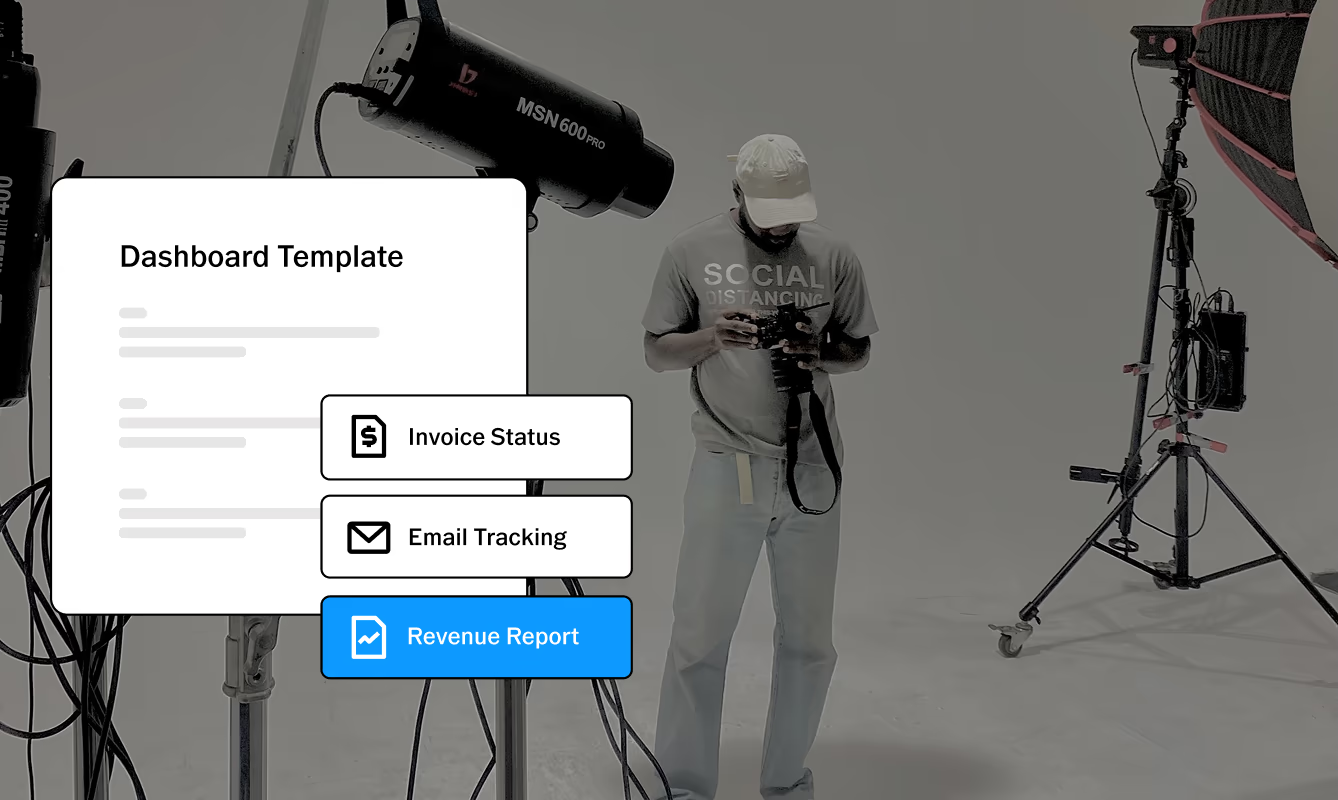
Reporting. Dashboards for lead conversion, revenue tracking, booking patterns, and email engagement give you the data to make informed decisions about pricing, capacity, and outreach timing.
Multi-user and multi-brand support. Whether you’re managing multiple brands or bringing on second photographers and studio managers, Workspace grows with you. Add 6 users and up to 4 brands, with additional capacity available through support.
Full access to Workspace is included with VSCO One, which also includes VSCO Galleries, VSCO Sites, VSCO Canvas, AI Lab editing tools, Studio Pro, and VSCO Film presets. Try it risk-free for 30 days; cancel within that window for a full refund. Free onboarding support is included.
Explore VSCO Workspace →
Book a free demo →
The most effective studio management setups aren't built all at once. Start with the automations that eliminate the highest-friction tasks: inquiry response, booking confirmation, contract send, and payment reminder. Once those run reliably, add post-delivery follow-ups, anniversary outreach, and seasonal campaigns.
Review the system every quarter. Look at where leads drop off, which emails generate responses, and which client types rebook most consistently. Adjust accordingly.
A studio management system isn't a one-time configuration. It's a workflow that improves through iteration and gets more valuable the longer you use it. The goal isn't a perfect system from day one. It's a system that keeps getting better while your attention stays on the work.
What is the best studio management software for photographers?
The best studio management software for photographers depends on your business size, photography specialty, and workflow needs. Look for tools that simplify client inquiries, booking, contracts, invoicing, scheduling, and communication. Photographers managing multiple clients or complex projects may also benefit from workflow automation, reporting, and integrated gallery delivery. VSCO Workspace is one option, offering advanced CRM and studio management tools that connect with VSCO Galleries and Sites through VSCO One membership.
What's the difference between a CRM and studio management software?
A CRM helps you manage client relationships. Studio management software goes further by organizing the entire photography workflow around those relationships, from inquiry and booking to contracts, scheduling, payments, and follow-up. A general CRM can work for photographers, but often requires extra tools or customization to handle the specifics of running a shoot. For a closer look at CRM features, read our guide on how to choose the best photography CRM.
Do I need studio management software if I'm just starting out?
Not necessarily, but it can be worth starting early. Even with a small number of clients, a consistent system for inquiries, contracts, invoices, payments, and follow-up helps you stay organized and deliver a more professional experience. Starting with the right workflow also means less to rebuild as your business grows.
How long does it take to set up studio management software?
It depends on the platform and how much of your workflow you want to automate. Basic setup can take a few hours, including your inquiry form, contract, invoice, payment settings, and email templates. Platforms that offer onboarding or migration support can make the process faster, especially if you're moving from another system.
Can studio management software handle multiple photographers or brands?
Some platforms support multiple users and brands, making them useful for growing studios and teams. VSCO Workspace supports up to 6 account users across up to 4 brands, so you can give team members access and manage multiple photography businesses from one account.
What integrations should I look for in studio management software?
Start with the tools you already use to run your business. Calendar integrations, accounting software, payment processing, email, and photo delivery are the most useful. Google, Apple, and Outlook calendar sync can help prevent scheduling conflicts, while accounting and payment integrations reduce manual data entry. An all-in-one platform can also reduce the number of separate tools you need to connect.
How do I know when it's time to switch studio management platforms?
A few signs usually stand out: you're doing manually what your software should automate, your team has outgrown the available user access, you're paying for multiple tools to manage one workflow, or you're constantly working around limitations in your current platform. If your software is creating more work instead of removing it, it's probably time to look at alternatives.
The Business Behind the Work
Every hour spent manually chasing an invoice, re-explaining your process to a confused client, or searching through email for a contract that should have been filed automatically is an hour that isn't going toward the work. Studio management software doesn't add creative value. It protects creative time by making sure the operational layer runs without constant attention.
Build the system, automate what can be automated, and let the administrative side of the business take care of itself.