Track your hours for a week (not just pressing the shutter, but your total working hours) and most photographers are surprised by the result. The time spent behind the camera is often the smallest part of the working week. Inquiry responses, booking confirmations, contract follow-ups, payment reminders, culling, renaming, gallery delivery, review requests. And when they're done manually, they take a lot of it.
Automation is the practice of identifying those tasks and building systems that handle them reliably without your involvement. Done well, it doesn't change the character of your work or make your client communication feel less personal. It frees up the hours that were being spent on the operational layer so more of your attention goes to the parts of the business that actually require it.
This guide is structured as a practical workflow: audit first, automate by priority, refine over time.
In this guide:
- Audit your workflow before you automate anything
- How workflow automation works
- Where to start: the highest-ROI automations
- Automating the post-production side
- Automating the client side
- Building a system you can maintain
- Automation tools for photographers
- Refining your workflow over time
- VSCO tools for workflow automation
- FAQ: Automating your photography business
The most common automation mistake is automating before you understand where the time is actually going. Photographers who skip the audit often end up building sophisticated workflows around tasks that weren't their real bottlenecks, while the actual friction points remain untouched.
Spend a week logging every task that isn't photographing or creative editing. Not to be exhaustive, just to be honest. Most photographers find their time disappearing into a predictable set of tasks:
Inquiry responses written from scratch for every new lead. Scheduling emails that go back and forth three or four times before a time slot is confirmed. Contracts and invoices sent manually after each booking. Payment reminders that get written individually when a deadline passes. Questionnaires remembered and sent whenever they're thought of rather than on a reliable schedule. Gallery delivery emails composed for each client rather than sent through a template. Follow-up requests that never go out because the project is "done" and attention has moved on.
Any task you perform the same way for every client, every time, is a candidate for automation. The goal of the audit is to identify which of those tasks consumes the most time and which creates the most friction when it's done inconsistently.
Automation in a photography context follows a simple logical structure: when a specific event occurs, a defined action happens automatically. That structure has three components:
- Trigger. The event that kicks off the automation. A new inquiry form submission. A signed contract. A confirmed payment. A gallery delivery date reaching its scheduled window. A job stage updated to "completed."
- Condition. Optional rules that determine whether the automation should run. "Only trigger this automation if the job type is wedding." "Only send this follow-up if the client hasn't replied to the previous email." Conditions are what separate basic automation from workflows that actually adapt to the shape of each client relationship.
- Action. The task that executes automatically. Send an email. Create a task. Update a job stage. Send a text message. Trigger the next automation.
A practical example: a client submits an inquiry form at 9pm on a Friday. A trigger fires, sends a personalized acknowledgment within minutes, creates a lead record in your CRM, and triggers a follow-up automation if the client hasn't booked within 72 hours. You see the inquiry Monday morning. The client already has what they need and the relationship is in motion.
The same structure applies at every stage. A signed contract triggers the invoice. A payment confirmation stops the payment reminder automation and sends the pre-shoot questionnaire. A gallery delivery triggers the follow-up automation. Each action becomes the trigger for the next. Once the automations are configured, they run independently of whether you're on set, in the edit, or completely offline.
Not all automations are equal. Some take hours to configure and save minutes. Others take an afternoon to set up and recover hours every week from that point forward. The highest-return automations for most photography businesses follow a clear sequence. Build these first, in this order, before adding complexity.
- Inquiry auto-response. The first message a potential client receives after submitting an inquiry shapes their expectation of what working with you will be like. An automated response that arrives within minutes, acknowledges their specific request, and tells them what happens next converts at significantly higher rates than one that arrives 18 hours later. This automation takes 20 minutes to configure and runs on every inquiry indefinitely.
- Lead non-response follow-up. When a new lead is created but no booking has been made within a set number of days, automatically send a follow-up to the inquiry.
- Pre-photoshoot questionnaire. A questionnaire sent automatically at the right stage of each project collects the information you need for the photoshoot without requiring you to remember to send it. You arrive at every photoshoot with the right information.
- Post-delivery follow-up and review request. A thank-you message, a review request timed a few days after delivery, and a check-in around the rebooking window are the three touchpoints that build the relationship after the gallery goes out. Most photographers send none of them consistently. Automating all three takes one configuration session.
These four automations cover the complete client lifecycle and represent the largest recoverable time drain in most photography workflows. Get them running reliably before building anything more sophisticated.
Client-side automation addresses the communication and administrative layer. Post-production automation addresses the creative pipeline itself, and the time savings there can be even larger for high-volume photographers.
AI culling. Reviewing thousands of frames individually to identify the strongest selects is one of the most time-consuming tasks in photography. AI culling tools analyze every frame for focus accuracy, exposure, blink detection, expression quality, and compositional strength. The result is a pre-sorted set of selects that dramatically reduces the starting point for the edit. Photographers working with AI culling consistently report cutting their culling time by 70–90% without compromising the quality of the final selection.
Preset-based editing and batch adjustments. Applying consistent foundational edits across a session by syncing from a hero image, using a calibrated preset, or running a batch operation removes the most repetitive part of the editing process. AI-powered editing tools that learn your style over time go further, making increasingly accurate foundational corrections that require only final creative refinement rather than correction from scratch.
Automated file naming, organization, and export. Setting up import presets that automatically apply naming conventions, organize files into the right folder structure, and generate web and print-ready exports on delivery removes a category of manual work that has no creative component at all. Once configured, the structure applies to every project without any additional action.
Automated backup. A backup that requires manual initiation is a backup that sometimes doesn't happen. Automated cloud sync configured to run at import or on a schedule removes the risk of losing work to a drive failure between manual backup sessions.
The post-production automation layer connects naturally to the client delivery side: when editing is complete and the gallery is uploaded, the delivery trigger fires and the follow-up automation begins. The two sides of the workflow become one connected pipeline.
Client communication automation handles the touchpoints that don't require your individual judgment but do require consistent, timely execution.
Scheduling. Automated calendar sync keeps your real-time availability accurate across platforms so clients self-schedule without back-and-forth emails. Double bookings become impossible.
Automated reminders. A week-of reminder, a 48-hour check-in, and a day-of text message can all fire automatically based on the booking date. Clients are prepared. Late arrivals and no-contact no-shows decrease.
Segmented follow-up. A client who booked a brand session and a client who booked a family portrait session shouldn't receive the same follow-up automation. Conditional workflows let you build specific automations for each client type, so outreach feels targeted rather than generic. An anniversary reminder timed to the original shoot date reaches the family client twelve months later without you maintaining a manual calendar of past bookings.
Text messaging. Time-sensitive communications, shoot-day logistics, and short confirmations have higher open and response rates via text than email. Building text messages into automated workflows at the appropriate points handles this without requiring you to manage a separate communication channel manually.
The most sophisticated automation stack is useless if it's too complex to maintain when the business gets busy. The most common failure mode in photography workflow automation isn't a technical problem. It's overbuilding. Photographers configure elaborate workflows during a slow period, then find themselves unable to diagnose or update them when something breaks mid-season.
Three principles make automation systems sustainable:
- Start with one thing and get it right. Pick the single highest-friction task in your current workflow and automate it completely before building anything else. Run it through a real client cycle. Verify the timing, the content, and the conditions. Once it runs reliably, add the next automation.
- Test with real scenarios. Submit a test inquiry, sign a test contract, trigger a test payment. Walk through every step of the automated workflow from the client's perspective on both desktop and mobile. The edge cases that create confusing client experiences are almost always visible in a real-world test and invisible in a configuration review.
- Build in a quarterly review. Automation that felt right six months ago may no longer reflect your current pricing, services, or communication style. Set a recurring reminder to review active workflows, check that timing and messaging still feel accurate, and retire anything that's no longer serving its purpose. Thirty minutes every quarter prevents the slow drift toward a workflow that's running but no longer working.
A complete photography automation stack typically covers two distinct layers: the post-production side and the client management side. These are usually handled by different tools with different areas of strength.
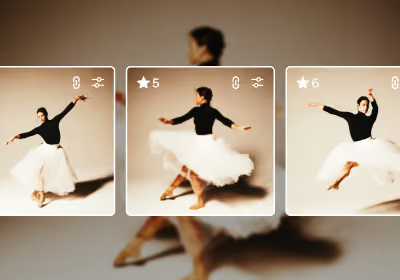
Batch editing. VSCO Studio Pro is built specifically for high-volume editing workflows. Apply a single edit across up to 100 images at once, or use Style Match: select a reference image you've already edited or an image that captures the look you're after, and Studio Pro's AI applies that color, tone, and mood across your entire batch. Finish your selects in Studio Pro and publish directly to VSCO Galleries without re-exporting or switching apps.
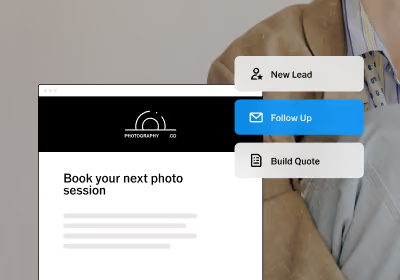
Client management automation. VSCO Workspace handles the full client communication and administrative layer: inquiry auto-response, booking flows, contracts, invoices, questionnaires, automated reminders (email and text), gallery delivery coordination, post-delivery follow-up, and reporting. Conditional workflow logic means automations adapt based on job type, client stage, and actions completed rather than running the same automation for every client regardless of context.
Calendar and integration. VSCO Workspace syncs with your existing calendar so scheduling stays accurate across platforms without manual updates. Connected business and personal calendars are checked automatically when clients book through your scheduling link, so your real availability is always what clients see. A day blocked for a personal commitment or an existing session prevents double-bookings without any manual calendar management on your end.
File management. Most professional editing applications support import presets that apply naming conventions, metadata, and folder organization automatically at ingest. Configured once, they run on every project without additional setup.
The goal isn't to use every available tool. It's to identify the specific gaps in your workflow and choose tools that address those gaps without adding complexity that creates new ones.

A photography automation system is not a one-time setup. It's a workflow that improves through iteration and becomes more valuable the longer you maintain it.
When a workflow breaks or produces an unexpected result, the most common causes are mismatched conditions (a trigger fires when it shouldn't, or doesn't fire when it should), timing that no longer reflects reality (a reminder that goes out before a questionnaire is due, or after the client has already responded), or content that no longer reflects current pricing or services. Fixing these is straightforward when the system is simple enough to understand. That's the strongest argument for starting small and building deliberately rather than configuring everything at once.
Over time, reporting reveals patterns that aren't visible in day-to-day operation. Which inquiry sources convert at the highest rates. Which session types generate the most rebookings. Which follow-up timing produces the most review responses. These patterns inform where automation effort is most valuable and where manual attention still makes a difference.
The time automation reclaims doesn't have to go back into the business immediately. For many photographers, the most meaningful benefit is the reduction in context-switching: the constant interruptions from administrative tasks that fragment the time and mental space available for creative work. A workflow that runs reliably in the background doesn't just save hours. It changes the texture of the working day.
VSCO AI Lab turns the most time-consuming post-production fixes into single-tap operations. Remove objects, clean up busy backgrounds, eliminate noise without losing texture, restore contrast in hazy shots, and increase image resolution up to 4x for print or tight crops. Edit using plain language with Prompt, remove stray hairs with Hairstyle, and cut clean subject cutouts with Isolate. No manual selection, no masking, no multiple steps. Available within the VSCO app on iOS. Included with VSCO Pro and One, no credits or limits.
VSCO Studio Pro is built for high-volume editing workflows. Apply a single edit across up to 100 images at once, or use Style Match: select a reference image that captures the look you're after and Studio Pro's AI applies that color, tone, and mood across your entire batch. Apply any of VSCO's 200+ professional presets across a full photoshoot in seconds. Fine tune individual selects and publish directly to VSCO Galleries without re-exporting. Available on iOS, with desktop coming later this year.
VSCO Workspace manages the full client communication and administrative workflow: inquiry response, booking, contracts, invoices, scheduling, questionnaires, automated reminders, gallery delivery coordination, post-delivery follow-up, review requests, and anniversary outreach. Conditional workflow logic lets automations adapt to job type, client stage, and completed actions rather than running identically for every client. Text messaging is available directly through the platform in the US and Canada.
VSCO Galleries connects to Workspace so gallery delivery links, download instructions, and follow-up messages go out from the same client record as the contract and invoice, keeping every touchpoint attached to the job rather than scattered across tools.
VSCO Sites routes contact form inquiries directly into Workspace as managed leads, so every new client who finds you through your portfolio enters your automation workflow automatically.
All of these tools are part of VSCO One. Try it risk-free for 30 days with a full refund if it's not the right fit.
What's the most important photography workflow to automate first?
Inquiry response. The first message a potential client receives after submitting a form sets the tone for the entire relationship. An automated response that arrives within minutes, acknowledges their request, and explains next steps converts at significantly higher rates than one that arrives a day later. It's also among the fastest automations to configure and delivers immediate, measurable results.
Does automation make client communication feel less personal?
Only if the content isn't personalized. Automation handles the timing and delivery; the content of the message determines how it feels. A well-written automated email that references the client's specific session type, timing, and what to expect next feels more considered than a manually written generic response sent 24 hours after an inquiry. The goal is to automate the delivery of thoughtful communication, not to replace thoughtfulness with efficiency.
How much time can workflow automation realistically save?
It depends on your current volume and how much of your workflow is currently manual. Photographers who automate the complete client lifecycle (inquiry through post-delivery follow-up) typically report recovering several hours per week at modest session volumes. At higher volumes, the savings are proportionally larger.
Can I automate workflows if I'm not technically experienced?
Yes. The platforms built specifically for photographers (including VSCO Workspace) are designed for photographers, not developers. Workflows are built visually through interfaces that make trigger-condition-action logic straightforward without requiring code. Free onboarding support means you're not configuring your first workflow alone.
How do I know if an automation is working correctly?
Test it with a real scenario before relying on it for actual clients. Submit a test inquiry, move through each stage of the workflow, and verify that every message arrives at the right time with the right content. Check the client-facing experience on mobile specifically. Most clients interact with contracts, invoices, and reminders on their phones, and friction there is easy to miss when testing only on desktop.
Should I automate everything I possibly can?
No. The objective is to automate tasks that don't require your individual judgment and to protect the time and attention you give to tasks that do. There are interactions in every client relationship where a personal message, one that references something specific and reflects real attention, does more than an automated one. Automation handles the consistent baseline. You handle the moments that matter.
The workflow behind the work
Every hour recovered from administrative tasks is an hour available for something else: a personal project, a better edit, a client relationship that benefits from more attention. The operational layer of a photography business doesn't have to compete with the creative layer. A well-built automation system runs the former reliably enough that the latter gets the time it deserves.