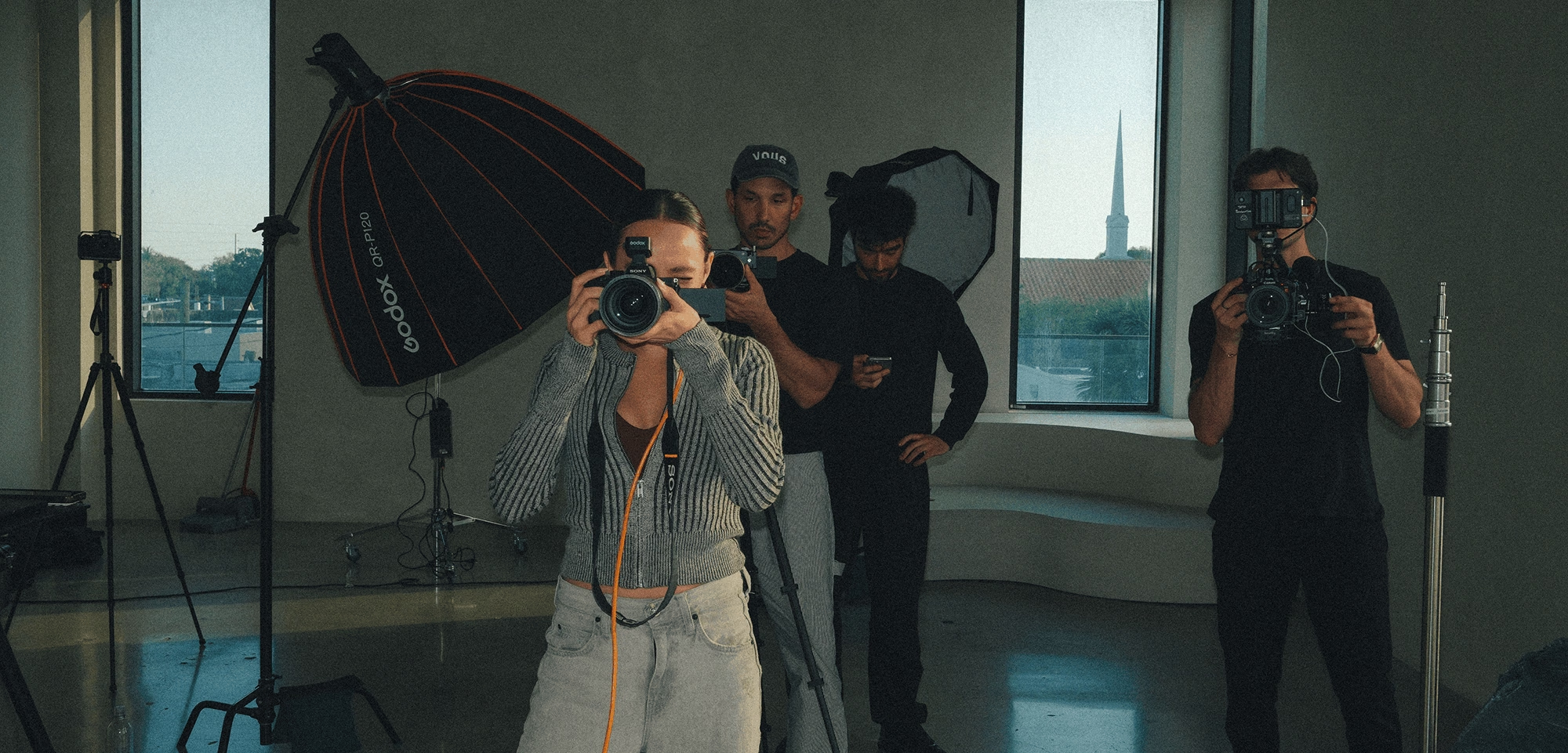
Bigger productions ask for more than a good eye and the right gear.
They need the right people in the right roles, clear expectations, and a plan everyone can work from.
The skill is knowing what to hand off, so you can put your attention on the work only you can do.
Whether you're hiring your first assistant or coordinating a full commercial production, this guide covers how to define the roles you need, find and vet collaborators, set terms, run the day, and build a crew you can call on again.
Key answers
Build a reliable photo or video crew by identifying the roles your production needs, finding skilled collaborators, and establishing clear expectations before the shoot. Prioritize experience, communication, and dependability over crew size. A strong production team understands its responsibilities, works well together, and can adapt when plans change.
- Define your project's creative, technical, logistical, and post-production needs before deciding which crew members to hire.
- Find collaborators through trusted referrals, local creative communities, professional networks, and online portfolios.
- Review portfolios, check references, and confirm relevant experience, availability, rates, and working styles before hiring.
- Put responsibilities, payment terms, overtime, deliverables, usage rights, and cancellation policies in writing.
- Share a creative brief, shot list, and call sheet so everyone understands the schedule, expectations, and communication process.
- After each production, review what worked and maintain a directory of trusted collaborators, including their roles, rates, and availability, for future projects.
What you'll learn in this guide:
- Define Your Project's Needs Before You Hire
- Find Crew Members Who Fit Your Workflow
- Set Clear Expectations Before the Session
- Keep Production Moving on the Day
- Build Long-Term Working Relationships
- FAQ
Before you contact anyone, map out what the production requires before, during and after the session:
- Creative direction: What look, mood and references should guide the final work?
- Technical requirements: Do you need specialized lighting, audio, camera systems or other gear?
- Production logistics: Who is coordinating locations, permits, travel, talent, wardrobe and scheduling?
- Post-production: Who handles editing, color, retouching, audio and file delivery?
- Deliverables and budget: What are you responsible for delivering, and what resources do you have to do it?
The answers set the size of the crew. As a rough guide:
- Single-location portrait session: photographer and one assistant
- Commercial photo production: photographer, first assistant, digital tech, producer or coordinator, plus stylist, hair and makeup as needed
- Commercial video production: producer, director, director of photography (DP), gaffer, sound mixer, camera assistant, plus a DIT on larger jobs
Treat this as a starting point. Roles, titles and crew norms vary by market and by whether a production is union.
Identify the Essential Crew Roles
Hire for the responsibilities that need dedicated attention, not to make the crew look bigger.
These are the roles that carry the most risk when they go wrong.
Photography crew roles:
- First assistant: helps with lighting, equipment and setup changes, and keeps the production moving
- Digital tech: manages tethered capture, image review, color consistency, backups and file organization
- Stylist: handles wardrobe, props or product presentation to match the visual direction
- Hair and makeup artist: prepares talent and maintains continuity through the day
Video crew roles:
- Director of photography (DP): designs the lighting and camera approach
- Gaffer or lighting technician: builds and adjusts lighting to the DP's plan
- Sound mixer: captures clean audio, which is the hardest thing to fix afterward
- Camera assistant: handles focus pulling, camera builds and equipment care
- Digital imaging technician (DIT): manages media offloads, backups, data and on-set color workflow. This is a separate role from the camera assistant on larger productions.
Both
- Producer: owns the budget, schedule, permits and logistics, so you can stay on the creative
- Director: guides performances and the overall vision on set
On smaller jobs one person can cover two roles, such as producer and director. Give every critical responsibility a single named owner, even when roles overlap.

Start with people who understand the demands of production:
- Your own network and the collaborators you've worked with before
- Referrals from crew you trust, since they know who is dependable on a long day
- Local film communities and photography meetups
- University media programs, where emerging talent is looking for credits and experience
- Online portfolios and professional networks
Review Portfolios With Purpose
Look past the best single image or reel and ask four questions:
- Consistency: Is the quality steady across projects, or only in a few standouts?
- Creative fit: Does their style suit this project's look and tone?
- Problem-solving: Does the work show smart choices under tough conditions, like low light, tight locations or a fast schedule? A strong example is a night exterior lit cleanly with a small kit.
- Relevant experience: Have they handled projects of this scale and type?
Vet Potential Hires Before Committing
Once you've identified promising candidates, take a few extra steps to confirm they're a reliable fit.
- References: Call at least one past collaborator and ask how they handled pressure and changes.
- Availability: Confirm the full call window, including prep and wrap, not just the day itself.
- Process: Ask how they prepare, what they bring and what they need from you.
- A hard day: Ask them to describe a challenging production and what they did when it went sideways.
- Practical details: Confirm rates, invoicing, insurance and any paperwork they require.
- Communication: Note how quickly and clearly they respond. It predicts how they'll act on set.
If you can, test a new collaborator on a smaller job before trusting them with a major one.
Look for People Who Make the Work Easier
Technical ability matters, but so does how someone works with others. Look for collaborators who communicate clearly, anticipate what's needed, stay composed when plans change and take ownership of their responsibilities.
A talented crew member who makes the whole production easier to manage is worth keeping in your network.
A short first message does a lot of the vetting for you:
Hi [Name],
I'm producing a [project type] on [date] in [location]. I'm looking for a [role] and admired your work on [project].
The call is roughly [hours], and the deliverables are [short description].
Are you available, and what is your day rate for this role?
Most crew problems start as unspoken assumptions. Fix that with a shared project brief that everyone receives before the day.
Include these in your photography project brief:
- The creative direction, with a mood board and reference images or clips
- The shot list or key moments you need to capture
- Each person's responsibilities and who makes the final call on creative, schedule and safety decisions
A visual board works well here. In VSCO Canvas you can build a mood board, organize references, map a shot list and add notes, then invite photographers, designers and clients into the same space.
Discuss Rates, Deliverables, and Usage Rights
Talk about money and scope before the first call sheet goes out, and put the agreement in writing. Cover:
- Rates: day rate, half-day rate and what counts as a full day
- Overtime, travel and per diems: when they apply and how they're calculated. Define overtime before the production, not after a long day.
- Deposits and payment timing: when payment is due, and whether a deposit secures the date
- Expenses: who covers equipment rentals, transportation, meals and other production costs
- Scope and deliverables: what each person delivers, and by when
- Usage rights: how you and the client may use each person's work. Rights to your images and rights to work created by crew, such as video footage or styling credits, aren't automatically the same, so spell out both.
- Credit and portfolio use: whether crew can share the finished work, when, and whether the client has confidentiality or embargo restrictions
- Revisions and cancellation: how many rounds are included and what happens if the date moves
This is general guidance, not legal advice. Use a written agreement reviewed against the laws and norms where you work, and confirm insurance and release requirements for your location and talent.
Organize Communication and Logistics
Send a call sheet at least a day ahead. A useful one includes:
- Date, location, parking and nearest hospital
- Call time for each role. Separate call times matter because a stylist, a gaffer and a DIT rarely need to arrive at the same hour, and staggering them saves paid time.
- The schedule and meal breaks
- Contact numbers for the producer and key crew
- Weather or backup-location plans
Choose one primary channel for day-of communication, such as a group message thread, so nothing gets lost across email, texts and calls.
Agree up front on backup and file ownership too: where media is offloaded, who holds the second copy, and who delivers what.
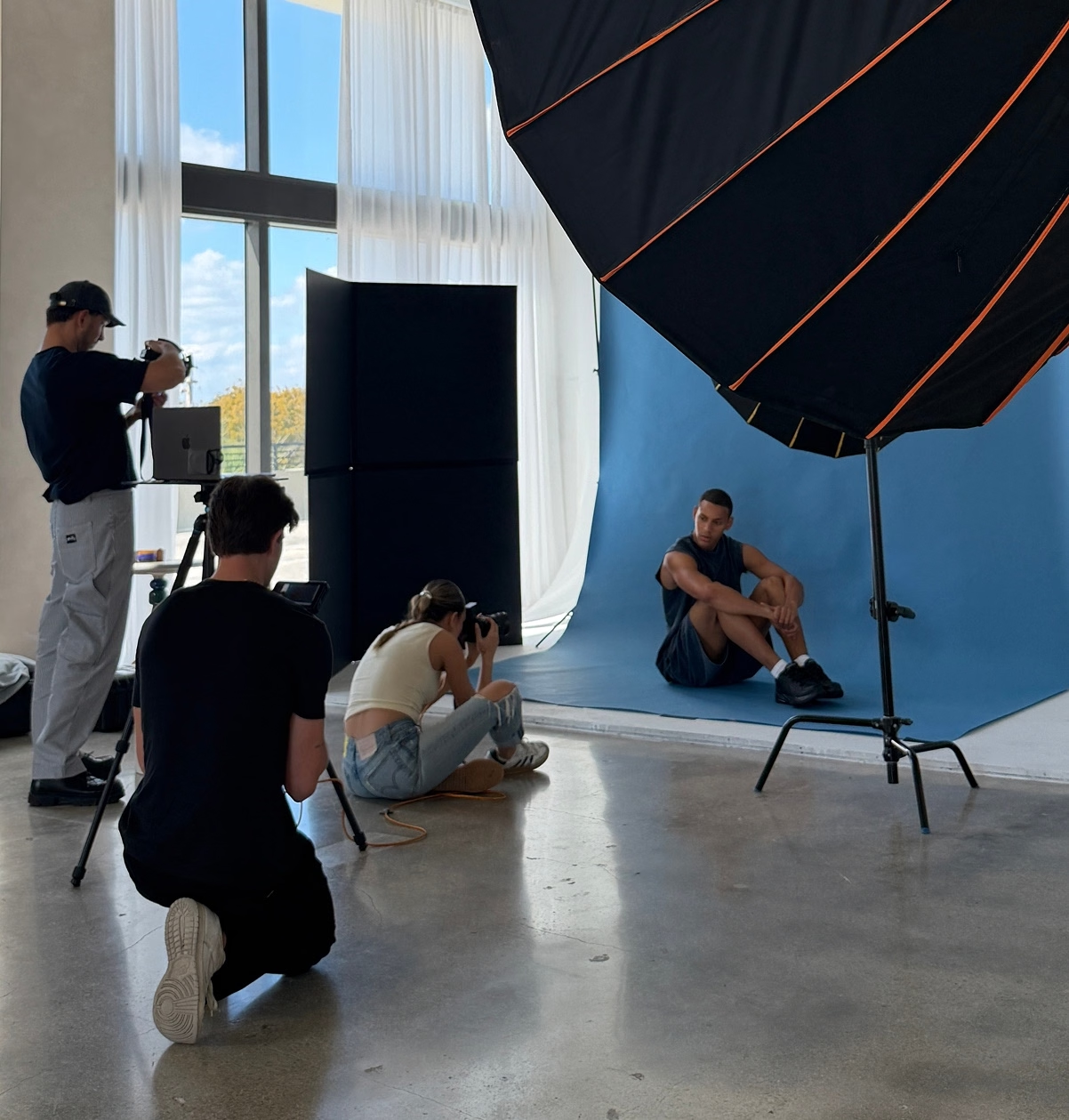
A good production starts with clear communication and preparation.
- Prepare equipment in advance: Confirm batteries, cards, lighting, backups and rentals before call time.
- Run a short briefing at call: Walk through the schedule, the first setup and any safety points.
- Set a review process: Decide who reviews images, who gives feedback and who has final creative approval.
- Back up as you go: Establish a primary and secondary backup from the first card, rather than waiting until wrap.
- Build in buffers: Leave time between setups for lighting changes, travel and problems.
- Prioritize the essentials: Know which shots and scenes you can't leave without, so you can protect them if the day slips.
Communicate Clearly When Plans Change
Weather, delays and equipment failures happen. When they do:
- State the new plan and the next step plainly, then confirm everyone heard it.
- Tell crew what is changing in a setup, who is responsible and whether the schedule shifts.
- Hand problems to the person with the right expertise instead of solving everything yourself.
- Recognize good work out loud while the day is still going.
- Schedule real breaks and keep safety ahead of the schedule.
Once the work wraps, follow through on outstanding payments, deliverables, and credits. Keep collaborators informed about when they can expect final assets, and communicate any remaining client approvals that affect delivery.
A professional finish shows that you value your crew's time and contributions, making people more likely to work with you again.
Review What Worked and What Didn't
After a larger project, take time to reflect on the production with your team. Consider these questions:
- Did the schedule, call sheet, and file-management process work as expected?
- Were updates easy to find, and did everyone know where to direct questions?
- Were expenses and overtime managed effectively?
- Which collaborators excelled, and where could responsibilities have been clearer?
- Did the final deliverables meet the brief, and what would you approach differently?
Invite honest feedback to identify useful lessons, improve your process, and give everyone a chance to share what they learned.
Build a Crew You Can Call On Again
A dependable crew isn't always the same group of people. It's a trusted network you can assemble around the needs of each production.
Over time you'll learn which collaborators work well together, who thrives in certain environments, and who takes ownership without constant direction.
The right crew isn't always the biggest or most experienced. It's the group that works well together and brings out the best in everyone.
Keep a crew directory so you're never starting from scratch. A simple version looks like this:
- Name and role: [Name], gaffer
- Contact: [Email, phone]
- Day rate: [Rate]
- Availability: [Notes]
- Gear: [Kit]
- Best paired with: [Name, DP]
Add notes on past projects and the combinations that worked. Keep at least two options for each key role, so a cancellation never stops the production.
How many people should be on a photo or video crew?
It depends on the complexity of the production. A portrait session may need only a photographer and an assistant, while a commercial video typically adds a producer, director, DP, gaffer, sound mixer and camera assistant. Start with the responsibilities that need dedicated attention.
How do I find reliable crew members?
Start with referrals from people you already trust, then local film communities, meetups, university media programs and online portfolios. Call references and test new people on a smaller job first.
How much should I pay freelance crew?
Rates vary by role, experience and market, so ask each person for their day rate and what counts as a full day. Confirm overtime, travel and per diems before the date, and put them in writing.
Do I need a written agreement with freelance crew?
Yes. A written agreement covering rates, scope, usage rights, revisions and cancellation prevents most disputes. This is general guidance, so check the requirements where you work.
What's the difference between a photo assistant and a digital tech?
A photo assistant supports the photographer with lighting, equipment and setup changes. A digital tech manages tethered capture, image review, color consistency and file backups.
What should I do when a crew member cancels?
Keep at least two vetted options for every key role in your directory. Contact them as soon as you know, and share the brief and call sheet so the replacement is up to speed quickly.
Keep Your Production Organized
A well-run production doesn't end when the last frame is captured. Keep projects organized with VSCO Workspace, where you can assign tasks, create contracts and invoices from reusable templates, and sync project dates to your calendar.
When it's time to deliver, VSCO Galleries lets second shooters add their photos through a QR code, with no app or account needed.
Share the finished gallery with clients through a single link, then show the work on VSCO Sites so future clients and producers can find you.