
Fall and holiday sessions can fill your calendar, but more bookings don't always mean more profit.
Every family adds time for communication, preparation, editing, and delivery, and those hours need to be reflected in your pricing.
The most profitable photographers plan for the entire client experience. They price for the work involved, build efficient workflows, and turn seasonal bookings into relationships that last beyond the holidays.
Four levers decide whether a busy season is also a profitable one:
- Earn more per booking: price packages correctly and offer relevant upgrades
- Protect your time: group sessions, standardize your workflow, and automate admin
- Increase your capacity: edit efficiently and plan realistic delivery schedules
- Generate repeat revenue: retain clients, encourage referrals, and build annual bookings
In this guide, you'll learn how to:
- Price holiday family photography for profit
- Make holiday mini sessions profitable
- Make booking easier for families
- Decide when to stop booking holiday sessions
- Build a repeatable client workflow
- Edit family photos faster
- Deliver a gallery clients love
- Get more repeat photography clients
- Measure your profitability
- FAQs
Key answers
To run a more profitable holiday family photography business, price packages around your total time and costs, build mini sessions that fit a tight schedule, and stop booking early enough to edit and deliver before card deadlines. Efficient editing and polished galleries raise the value of each booking and bring families back.
- Measure revenue per session, effective hourly earnings, and profit, not just your session fee.
- Run mini sessions as short, fixed-deliverable sessions at one location, with buffers between families.
- Work backward from holiday-card deadlines to set your last session date.
- Cull before editing, then batch edit by lighting group.
- Follow up after delivery, and give past clients early access to next fall's dates.
Families book holiday sessions for photographs they'll use on cards, display at home, and share with relatives. Build packages around what they'll receive, then make sure your pricing accounts for the time it takes to deliver it.
Build Packages Around Deliverables
Two or three clear options serve different budgets without discounting your standard rate:
- Holiday mini session: a short session at a set location with a fixed number of edited images, such as 10 to 20, for families who need card-ready portraits
- Signature family session: a longer session with more groupings, outfit changes, or locations, and a larger gallery
- Premium holiday experience: a full session with extras such as an extended gallery, priority turnaround, or print-ready images organized for gifting
Set image counts by the editing time you can realistically spend, not by what sounds generous.
Calculate Your Real Cost Per Session
Start by listing every hour a session requires:
- Photography time
- Pre-session communication and preparation
- Travel and setup
- Culling and editing
- Client revisions and communication
- Gallery preparation and delivery
Then add business overhead, taxes, and the profit you want to find the price you need. Three numbers measure the result, and they aren't interchangeable:
- Revenue per session: what the client pays
- Effective hourly earnings: revenue minus direct costs, divided by total hours worked
- Profit: what remains after overhead, taxes, and the cost of running your business
For example, a session sold as one hour might take five hours in total. At $300, that's $60 an hour before equipment, software, taxes, insurance, and other expenses. Use the numbers to decide what to change:
- If effective hourly earnings are too low, raise your prices or reduce what's included.
- If minis are profitable but exhausting, standardize deliverables and tighten your scheduling.
- If full sessions earn more but take far longer, compare profit per working hour, not per session.
Use Add-Ons to Raise Revenue Per Booking
Add-ons increase the value of a booking without another session. Depending on your business, consider offering:
- Additional edited images beyond the package allowance
- Full-gallery upgrades for families who want every selected photograph
- Expedited editing and delivery for approaching card deadlines
- Extended family portraits with grandparents or multiple households
- Extra session time, locations, or outfit changes
- Prints and albums through your preferred lab
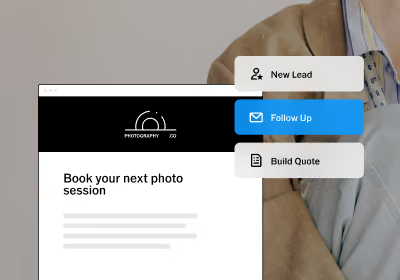
Show these options before booking so no one meets an unexpected charge afterward. VSCO Workspace brings inquiries, bookings, contracts, invoices, and client communication together. With full Workspace in VSCO One, you can also build quotes that present tiered packages and add-ons before a family signs and pays. Other memberships include a simplified version for basic job tracking.
Mini sessions work when each one is short, predictable, and priced for everything around it. Aim for 15 to 30 minute sessions with 5 to 15 minute buffers between families, a fixed image count, one location, and a limited number of subjects.
When Mini Sessions Make Financial Sense
They make sense when shared setup saves real time: one location, one look, and one set of instructions.
They work against you when every booking still needs custom communication, a different location, or extended editing.
Compare profit per working hour with your full sessions before you commit dates.
A Worked Example
These numbers are illustrative. Say you book eight mini sessions at $250 each, with 20 minutes per family and 10 minute buffers:
- Revenue: $2,000
- On-site time: about 4 hours, including buffers
- Setup and travel: 1 hour
- Communication and admin: 3 hours
- Editing: 6 hours, at 45 minutes per family
- Gallery preparation and delivery: 1 hour
- Direct costs: $150
That's about 15 hours of work and about $123 an hour before overhead and taxes. A $600 full session that takes six hours in total, with $50 in direct costs, earns about $92 an hour. The minis come out ahead only because editing stays at 45 minutes per family. At 90 minutes each, the same day takes about 21 hours, and earnings fall to about $88 an hour.
Run the Day
- Session count: many photographers run 6 to 10 mini sessions in a day. Start conservatively and set a cap before you open bookings.
- Buffers: protect them, because they absorb late arrivals and keep the day on schedule.
- Late arrivals and cancellations: put a written policy in your contract. Shorten a late family's session rather than delaying everyone behind them, and collect payment upfront, since a missed slot is hard to replace.
- Editing backlog: book editing time in the same week, share a preview within 48 hours, and deliver the full gallery within the window you promised.
For session-day structure, pricing, and reminders in more detail, read our guide to profitable mini sessions.
Families booking holiday portraits are often working against a deadline. Make it easy to find your pricing, check availability, and reserve a session without a long email exchange.
Give Families One Booking Path
If each inquiry takes several emails to confirm a date, explain pricing, send paperwork, and collect a deposit, multiply that across 30 or 40 seasonal clients. Set up one path instead: families review packages, choose a time, sign their contract, and pay. A photography CRM connects those steps, so you aren't stitching together separate scheduling, contract, and invoicing tools. Workspace combines scheduling, reusable contract templates with e-signature, and invoices in one place.
Collect Payment Before the Session
A verbal yes isn't a secured booking. A retainer or deposit sets a clear commitment and protects your calendar from last-minute cancellations. For mini sessions, consider collecting the full fee upfront.
Your contract should explain when payment is due, what's included, and what happens if a family cancels or reschedules. Disclose any non-refundable terms clearly, and make sure they comply with applicable laws.
Workspace invoices support deposits and automatic payment reminders, so you aren't chasing balances by hand.
Your final delivery date should decide when you stop booking. Start with the date families need their cards, then work backward. Here is a sample timeline for cards needed by December 15.
Treat the dates as illustrative, since they depend on your printer, your clients' selection window, and your turnaround:
- December 15: cards needed in hand
- December 8: card order submitted to the printer
- December 5: client image selections due
- December 2: gallery delivered
- Last session: early enough to cover your editing turnaround, with a buffer for bad weather and makeup sessions
Publish a clear booking cutoff for card delivery. You can still offer later sessions, but don't promise timelines that depend on everything going perfectly. Promote your dates six to eight weeks before the first session, and give past clients first pick before you announce publicly. Reserve certain weekends for mini sessions at one location and keep other dates open for higher-value family sessions.
A consistent process gives your first family of the season and your fiftieth the same experience. A typical holiday workflow looks like this:
- Inquiry: a family asks about your holiday packages
- Quote and booking: they choose a package and a date
- Contract and payment: they sign and submit the required payment
- Session prep: a confirmation shares location, outfit suggestions, timing, and what to expect
- Reminders: the family hears from you before the session
- Session and editing: you photograph, select, and edit
- Gallery delivery: the client receives the finished gallery with download instructions
- Follow-up: you check in, request a review, and invite them to book again
The routine steps don't need to be manual. With full Workspace in VSCO One, automations send reminders, payment notifications, and follow-ups based on the status of a job, and you can text clients in the U.S. and Canada. VSCO's mini session guide suggests reminders at booking, one week out, 48 hours before, and the morning of the session.
Use Questionnaires to Prepare Before the Session
A short questionnaire removes surprises and improves the photographs. Ask about the number and ages of family members, specific groupings, whether pets are joining, and how the images will be used. For more guidance, read 10 Questions to Include in Your Photography Client Questionnaire.
If a family plans to use a portrait for a holiday card, you can compose with that in mind and leave negative space for text in a few horizontal and vertical frames.
Editing is often where a busy holiday season becomes overwhelming. When multiple sessions land in one weekend, editing every image individually can quickly push delivery behind schedule.
A consistent batch-editing workflow helps you maintain your style without starting from scratch with every photograph.
Follow a Repeatable Editing Process
- Cull first: don't spend time adjusting photographs that won't make the final gallery
- Group by lighting and location: open shade, golden hour, and indoors each need a different starting point
- Choose a reference image: pick one representative frame for each group
- Apply a base look: use a preset or copy your edits across the group
- Refine individual images: fine-tune exposure, white balance, and skin tones
- Review the full set: check for consistency before delivery
Fall and holiday light changes constantly, and photographs taken minutes apart can look different because of shifting sun, cloud cover, or a change of location. For fall portraits outdoors, keep natural golden tones without pushing every orange and red into oversaturation. For indoor holiday portraits, balance warm decorative lighting with accurate skin tones. The goal is consistency, not making every frame look identical.
Batch Edit in VSCO Studio Pro
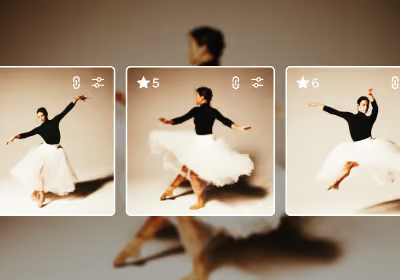
VSCO Studio Pro is built for this workflow. On Mac, you can batch edit hundreds of RAW files in one pass, and on iPhone you can edit up to 100 photos at once. Apply a preset or copy your edits across a group, then fine-tune individual images. Studio Pro includes 200+ presets, Style Match applies the look of a reference photo across a set on iPhone, and Studio Pro Desktop for Mac publishes finished selections directly to VSCO Galleries without a separate export and upload.
Protect Time for Editing
Reserve dedicated post-production time for each session or group of sessions, set a realistic turnaround, and keep to it. Prioritize jobs by promised delivery date, especially for clients ordering printed cards. If you offer expedited delivery, price it for the disruption it creates.
How you deliver photographs is part of the client experience. A well-organized gallery gives families one place to view, download, and share their images, while presenting your work with the same care you put into creating it.
Curate Before You Deliver
- Lead with a strong photograph.
- Sequence images to tell the story of the session.
- Include a mix of portraits, candid moments, and group photographs.
- Make it easy for families to find and download their favorites.
- Consider how images will look when shared with relatives or printed.
Deliver Through VSCO Galleries
With VSCO Galleries, you can share photos and video in one link that families open on any device, without an app or a VSCO account. That matters for family work, because grandparents and relatives can view the gallery too. A gallery that families share and revisit keeps your work in front of people who may need a photographer next.
Galleries are free to start with a 10 GB storage limit, and VSCO Pro and VSCO One add unlimited photo storage and password protection. You can also link a gallery to a client's job in Workspace, so delivery sits alongside their booking, contract, and invoice.

Deliver With Holiday Deadlines in Mind
A beautiful gallery that arrives after the card-ordering deadline can disappoint a family even when the photographs are excellent. Set the turnaround at booking, and repeat it in your contract or confirmation. Share a small preview within 48 hours of the session, then deliver the full gallery within the window you promised. When you deliver, explain how to download images and which files suit printing. For more on curating galleries, writing the delivery email, and protecting client privacy, read how to deliver family photo galleries to clients.
For many families, holiday portraits are a yearly purchase, so think about the lifetime value of a family client instead of a single session. A simple retention timeline keeps it manageable:
- Before delivery: prepare clients for what comes next, including print options and future sessions.
- After delivery: send a personal thank-you that mentions something memorable from the session, and request a review.
- After the holidays: follow up with a referral request or an invitation to book another type of session, such as spring family portraits, maternity, newborn, or graduation.
- Before next fall: give previous clients early access to holiday dates, advance notice of new locations, or first pick of a limited set of appointments.
Keep a record of past bookings so you can identify returning families without digging through old email threads. Parents also share holiday portraits with relatives, friends, and other families at school, which puts your work in front of new clients. A referral incentive, such as a credit toward a future session, can help, but the strongest strategy is an experience worth recommending.
Revenue alone doesn't tell the full story. A season with 50 bookings can earn less profit than one with 30 if the extra sessions demand far more time and expense. After bookings wrap, review these numbers:
- Average revenue per booking: total session and add-on revenue divided by completed bookings
- Total cost per session: direct expenses plus an allocation of overhead
- Profit per session: revenue minus the costs of delivering the work
- Effective hourly earnings: profit before overhead, divided by hours spent on photography, editing, travel, communication, and admin
- Booking conversion rate: the share of qualified inquiries that become paying clients
- Repeat booking rate: how many families return for another session
Then read what the numbers say:
- Fully booked but overworked: raise prices, adjust packages, or cut editing time per session
- Many inquiries, few bookings: review your pricing presentation, availability, or booking experience
- Strong bookings, limited revenue per client: add packages or services
Use what you learn to plan a more profitable season next year.
How much should photographers charge for holiday family photos?
Pricing depends on your market, experience, session length, deliverables, and operating costs. Calculate your total hours and effective hourly earnings before setting prices, and offer packages that give clients clear options.
How long should a holiday mini session be?
Most run 15 to 30 minutes, with 5 to 15 minute buffers between families. Short sessions work best with a fixed image count and a single location.
How many mini sessions can a photographer book in one day?
Many photographers run 6 to 10 in a day. Start with fewer, protect your buffers, and set a cap before you open bookings.
When should photographers start booking holiday sessions?
Promote your dates six to eight weeks before your first session, and offer past clients early access. Set a booking cutoff by working backward from card deadlines.
How many edited photos should a family photography package include?
Mini sessions often include 10 to 20 edited images, while longer sessions include more. Set the number by the editing time you can realistically spend, and offer extra images as an add-on.
How far in advance should family photographers deliver holiday photos?
Deliver early enough for families to select images and order cards before the printer's deadline. Share a preview within 48 hours of the session, and deliver the full gallery within the window you promised.
How can photographers edit family photos faster?
Cull before editing, group images by lighting, apply a base look to each group, then refine individual images. Presets and batch editing reduce repetitive adjustments.
How should photographers deliver holiday family photos?
Through a well-organized online gallery with clear download instructions and a turnaround set at booking. Families often need images for printed cards, so share delivery dates early.
How do photographers get repeat family bookings?
Follow up after delivery, request a review, and invite families to book other sessions. Give past clients early access to next fall's dates.
Make Every Holiday Booking Count
A profitable holiday season comes down to making every booking count. Price for the work involved, protect time for editing, and give clients an experience worth coming back for.
VSCO One brings the tools together to support that work. Manage clients and bookings in Workspace, edit efficiently with Studio Pro, and deliver finished photographs through Galleries. That leaves less time on the details and more for making photographs and building your business.
Try VSCO Workspace Free
Download Studio Pro Desktop Free
Find a VSCO membership that works for you