Social media is overflowing with photos every second, but what separates a post that fades from one that gets shared, saved, and talked about?
It’s not luck, it’s intention.
The right filters bring that intention to life, helping your work stand out without losing its authenticity.
In this guide, we’ll break down how to use photo filters and presets to make your photos more engaging on social media, while staying true to your creative vision. W
hether you’re a hobbyist posting for fun or a creator building a professional presence, these tips will give your posts the clarity, cohesion, and subtle edge they need to resonate.
Key takeaways
Editing photos for social media starts with strong composition, thoughtful color adjustments, and filters that complement your creative style. The right combination of presets, editing tools, and platform-specific formatting can make your images more visually engaging without sacrificing authenticity.
- Start with the basics: Adjust Exposure, Contrast, and White Balance before applying filters to create a balanced starting point.
- Choose filters intentionally: Use presets that enhance your photo's subject, mood, and natural colors rather than overpowering them.
- Create a consistent aesthetic: Save favorite presets and editing Recipes to maintain a recognizable style across posts.
- Layer editing adjustments: Combine presets with tools like HSL, Grain, and selective adjustments to create a personalized look.
- Optimize for each platform: Check cropping, aspect ratios, image quality, and composition before publishing.
- Learn from engagement: Review saves, shares, and other interactions to understand what resonates, without assuming filters alone drive performance.
What you'll learn in this guide:
- 1. Rethink “Viral” Before You Chase It
- 2. Understand Your Starting Point
- 3. Choose Filters That Complement Your Style
- 4. Layer Filters and Tools
- 5. Color and Emotion
- 6. Context is Key
- 7. Build a Consistent Visual Style Across Your Content
- 8. Don’t Forget Composition and Storytelling
- 9. Timeless Looks
- 10. Optimize Your Photos for Different Social Media Platforms
- 11. Analyze Engagement to Refine Your Approach
- 12. Avoid Over-Editing
- Photo Filter FAQs
Before diving into filters, let’s address the word everyone loves to chase: “viral.” Going viral often seems random, but there’s always a method behind what spreads.
The key is visual cohesion, emotional resonance, and audience alignment.
Filters aren’t magic; they don’t guarantee millions of likes. Instead, they help you:
- Maintain a consistent aesthetic so followers instantly recognize your style.
- Highlight details that make your image pop in crowded feeds.
- Evoke moods that resonate emotionally, making your photos more shareable.
Think of filters and presets as storytelling tools, not shortcuts.
Your goal isn’t just to catch attention, it’s to hold it.
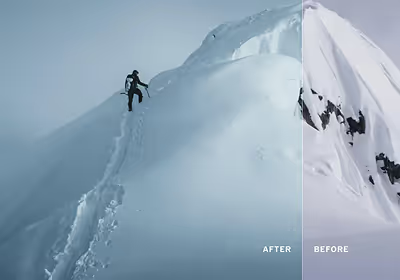
Every successful edit starts with understanding the image you’re starting with. Ask yourself:
- Is this photo overexposed or underexposed?
- Are the colors true to life, or do they feel flat?
- What’s the main subject or focal point?
Filters work best when applied to images that are already strong in composition and exposure.
A poorly framed or blurry photo will rarely improve with just a filter alone.
Tip: Make basic adjustments first like Exposure, Contrast, and White Balance to correct the photo before applying filters. This gives your chosen filter a more polished canvas to shine.
A viral-looking photo doesn’t need a flashy, saturated filter. Often, subtlety is more effective.
When selecting a filter:
- Match the mood: Warm filters evoke intimacy and nostalgia; cool tones feel modern and minimal.
- Consider the context: Different social media profiles may have different styles, audiences, and aesthetics.
- Avoid overuse: Applying the same filter too heavily can make your photos look generic.
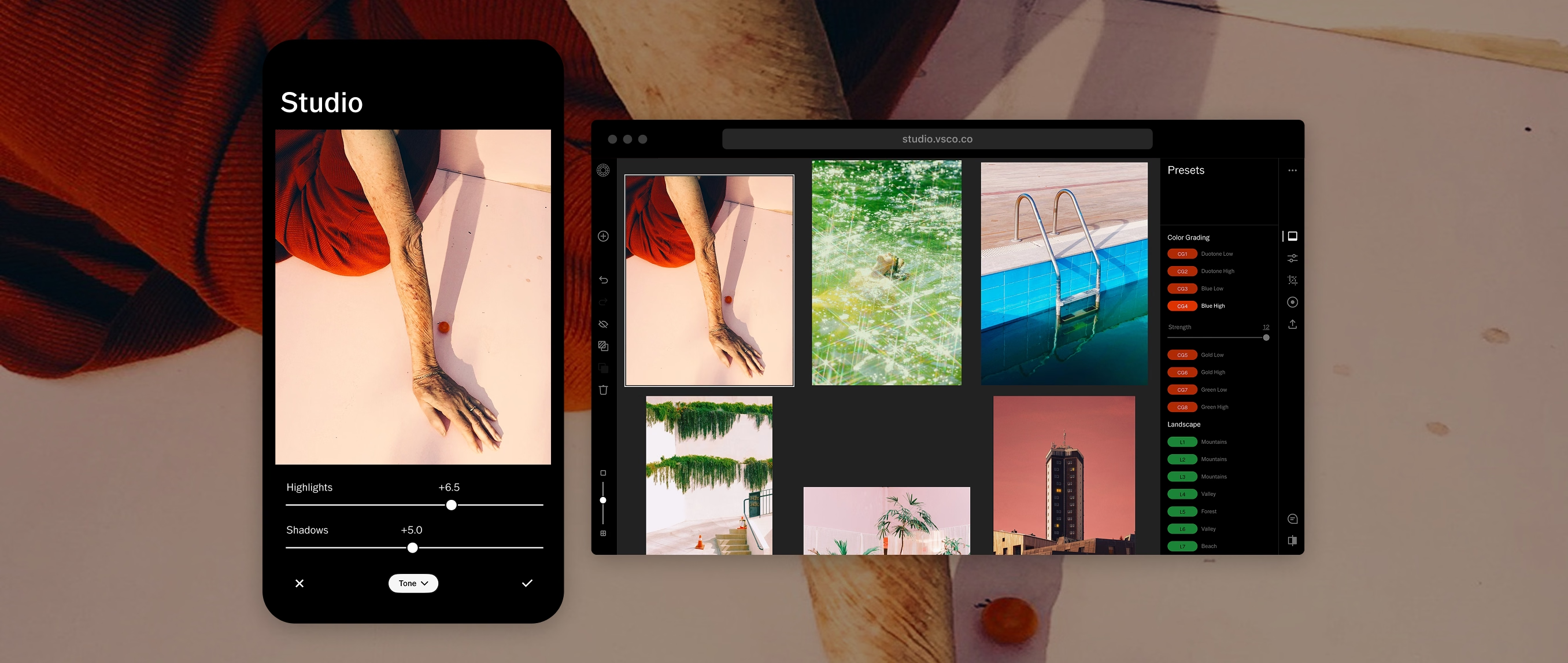
Tip: Long press your most-used presets in VSCO to save them to your favorites for easy access while editing. You can also organize your library so everything is exactly where you want it.
One of the mistakes creators make is relying on a single filter to transform a photo.
Instead, consider layering adjustments:
- Start with a base preset that establishes tone, color, and mood.
- Fine-tune basic adjustments with tools like Exposure, White Balance, and Contrast.
- Make local adjustments with tools like Dodge & Burn and AI Remove.
This approach lets you create a “custom filter” for each photo without losing your unique style. The result is a post that stands out as intentional, not templated.
Example Workflow:
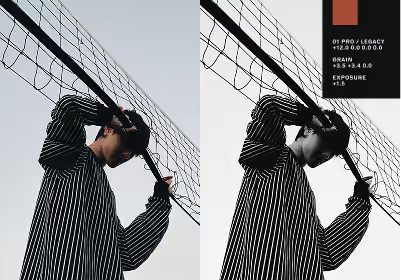
- Apply a VSCO preset like A6 PRO for a classic analog look.
- Tap the preset again to adjust sliders like Strength, Contrast, Color, and Tone.
- Refine your exposure if you need to.
- Apply a subtle Grain effect to evoke a film-like texture.
Tip: With VSCO, you can save custom preset and tool combinations as recipes that you can apply to other images in a single tap.
Colors influence mood, perception, and even shareability.
Filters allow you to enhance the emotional impact of your photos in subtle ways:
- Warm hues (reds, oranges, yellows): Convey energy and nostalgia.
- Cool hues (blues, greens): Suggest calm, minimalism, and sophistication.
- Muted tones: Evoke timelessness and authenticity.
Tip: Pick one dominant color in your photo and use your filter to enhance it. This creates visual hierarchy and guides the viewer’s eye naturally, increasing engagement.
Use tools like HSL to make even more granular adjustments to specific colors.

Not all photos benefit from the same treatment.
Think of filters as lenses for storytelling:
- Portraits: Subtle warmth, clarity, and skin tone refinement.
- Landscapes: Enhanced contrast and vibrancy to draw attention to natural details.
- Still Life: Mood-driven color shifts and texture adjustments.
- Urban Scenes: High contrast, desaturated shadows, or slight film grain for a cinematic feel.
When your filter aligns with your subject, viewers subconsciously register professionalism and thoughtfulness, key traits that encourage deeper engagement.
Tip: Explore preset categories in VSCO to quickly try different presets that suit your subject, from Portrait and Urban, to Black & White and Vibrant.
A recognizable visual style helps your photography feel connected, even when you're sharing different subjects, formats, and creative projects.
Consistency isn't about making every photo look identical. It's about developing an aesthetic that reflects your perspective.
Filters and presets play a crucial role here:
- Stick to presets and filters that complement your style.
- Apply similar tonal adjustments across posts to maintain a recognizable aesthetic.
- Adjust your editing approach for different lighting conditions and subjects.
- Avoid trends that clash with your unique vision.
You don't need a perfectly coordinated grid to build a strong visual identity.
Your photography should feel cohesive while leaving room for experimentation and creative growth.
Tip: Before posting, compare your edited photo with other images in your VSCO Studio. Minor adjustments in preset strength, White Balance, or Contrast can help maintain a consistent look across your work. Save your favorite combinations as Recipes to recreate your style more efficiently.
For creators editing larger batches of photos, VSCO Studio Pro makes it easier to maintain a consistent aesthetic across an entire shoot. Available on iPhone and coming soon to Mac, Studio Pro lets you batch edit photos, apply film-inspired presets, and fine-tune color and tone to create a cohesive look before sharing your work on social media.
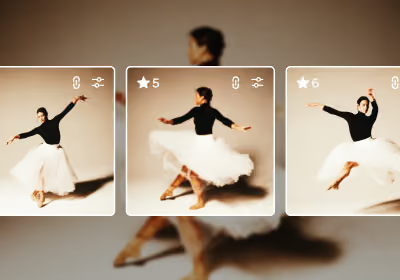
Even the most striking filter won’t save a poorly composed image.
Filters enhance, but they don’t replace fundamentals:
- Rule of thirds: Keep your subject aligned for natural balance.
- Leading lines: Draw the viewer’s eye to your main subject.
- Negative space: Give your photo room to breathe; minimalism is powerful in social feeds.
Filters should amplify the story, not distract from it.
Use them to guide attention, highlight details, and reinforce mood.
Tip: Use cropping tools like Adjust in VSCO that give you visual grids to fine-tune your composition.

VSCO’s roots in film simulation make it an ideal tool for creators looking for something beyond the flat, overly edited aesthetic.
Film-inspired filters and tools can make your photos feel timeless:
- Grain: Adds texture and depth to digital photos.
- Fade: Creates soft highlights for nostalgic impact.
- Classic film presets: VSCO’s Film X presets are professionally modeled after real film stocks, from Kodachrome to Portra.
Tip: Experiment with combining film-inspired filters with more modern looks and tools.
For example, a faded analog look plus a touch of extra clarity can create a unique visual signature that stands out on social feeds.

Most social media content is viewed on mobile devices, where cropping, screen size, and platform layouts can affect how your photos appear.
An edit that looks great at full resolution may need adjustments before it's ready for a social media feed, Story, or vertical post.
- Choose the right aspect ratio: Consider how your photo will appear in square, portrait, and vertical formats. Different platforms and placements may crop images differently.
- Protect your composition: Keep important subjects and details away from areas that might be cropped or covered by interface elements.
- Adjust for small screens: Check that your subject remains clear and your composition works at mobile viewing sizes.
- Preserve image quality: Export at an appropriate resolution and avoid unnecessary compression or repeated exports.
- Review color and brightness: Preview your finished image on a phone before publishing, especially when using subtle tonal adjustments.
Filters that look great on desktop may need subtle tweaks to shine on a phone screen.
Tip: Use VSCO's crop and adjustment tools to prepare different versions of an image for social posts, Stories, or other vertical formats.
Check each platform's current image requirements before exporting, since recommended dimensions and cropping behavior can change.
Creating engaging social media photos isn't a set-it-and-forget-it process.
Use analytics to understand what resonates with your audience, then apply those insights to your creative decisions.
- Track which posts get saves, shares, comments, and profile visits, rather than focusing only on likes.
- Look for patterns in the subjects, compositions, colors, and editing styles that resonate with your audience.
- Compare the performance of similar content over time, accounting for differences in timing, format, and audience reach.
- Experiment with different editing approaches to understand what best supports your photography style.
- Pay attention to meaningful outcomes, such as portfolio visits, inquiries, or new creative opportunities.
Remember that a high-performing post doesn't necessarily mean its filter was responsible for the engagement.
Subject matter, storytelling, timing, and audience relevance all influence results.
Tip: VSCO Pro and VSCO One members can use Profile Insights to explore image views, Favorites, Reposts, Discussions, and other engagement metrics. Use those insights to identify which photos resonate with your community while continuing to experiment with your own creative style.
Some creators fall into the trap of chasing trends with over-the-top filters or going overboard with extra tools. This can:
- Reduce authenticity and image quality.
- Make images feel “samey” and forgettable.
- Confuse your visual identity across your feed.
Instead, focus on intentional tweaks. Every filter adjustment should serve the image, not the algorithm.
AI-powered editing makes it easier than ever to remove distractions, smooth imperfections, and dramatically transform an image. But more editing isn't always better. Be especially mindful of unnatural skin textures, distorted details, and changes that misrepresent your subject. The strongest edits enhance what makes a photograph compelling without stripping away its authenticity.
Tip: Subtly decreasing preset or filter strength is often one of the best adjustments you can make.
Can filters really make my photos go viral?
Filters alone won’t make a photo viral. Viral content spreads because it resonates emotionally, tells a story, or is visually distinct. Filters enhance these qualities by giving your photos a cohesive aesthetic, emphasizing mood, and helping your images stand out in crowded feeds.
What are the best photo editing settings for social media?
The best settings depend on your photo, editing style, and publishing platform. Start by correcting Exposure, Contrast, and White Balance, then apply a preset that complements the image. Use tools like HSL, Grain, and Sharpen to refine the look, and crop your photo for its intended format. Preview the final edit on a mobile device before posting.
How do I choose the right filter for social media?
Start by considering your content, platform, and personal style. Warm tones work for intimate or nostalgic imagery, cool tones for minimalist or modern aesthetics. VSCO’s curated preset categories can serve as a starting point, and building a small library of 3–5 favorite filters or recipes ensures consistency without limiting creativity.
Should I use the same filter for all my posts?
Consistency is key, but rigidity isn’t. Using the same filter helps create a cohesive feed, but adjust Strength, Contrast, or Warmth for each photo. Small tweaks ensure every post feels intentional and visually balanced.
How do I make my filters look natural?
Apply filters subtly and layer adjustments carefully. Start with base Exposure, Contrast, and White Balance corrections, then add your filter. Then fine-tune with more detail-oriented tools.
Can I create my own custom filters?
Yes. Custom filters, or recipes in VSCO, let you maintain a signature look while adapting to each photo. Use VSCO or other editing tools to combine presets with adjustments like Grain, Fade, or Clarity. Over time, these custom settings become part of your recognizable style.
Are film-inspired filters better for social media engagement?
Film-inspired filters don’t guarantee engagement, but they can make photos feel timeless and emotionally resonant. Grain, muted tones, and analog textures often stand out in feeds saturated with overly edited digital images.
How do I know which filters perform best?
Track engagement metrics like saves, shares, and comments rather than just likes. Test different filters on similar photos and note which ones consistently resonate with your audience. Over time, this informs a more effective editing strategy.
Can filters fix bad photos?
Filters enhance and refine images but can’t replace strong composition, lighting, or focus. Always start with a well-captured photo; filters amplify quality, they don’t create it.
Filters Are Tools, Not Shortcuts
Filters are more than a “hack” for viral content, they’re a way to refine your creative voice, elevate your aesthetic, and connect with your audience.
By understanding your image, choosing filters that align with your style, layering adjustments thoughtfully, and analyzing engagement, you can create photos that stand out without feeling forced.
Social media isn’t just about chasing the next viral moment. It’s about creating a cohesive, intentional presence that makes viewers pause, engage, and return.
Filters are one of your most versatile tools for achieving this.
Social media is just one place to share your photography. Beyond the feed, having your own photography portfolio website gives you more control over how your work is presented and discovered.
With VSCO Sites, you can create a personalized portfolio website that showcases your best photos, reflects your creative style, and gives potential clients and collaborators a dedicated place to explore your work. While social media helps people discover your photography, your portfolio gives them a reason to stay connected.